Hi Leemeng
I try to reproduce the error
The start Url is
https://www.tokopedia.com/simpatifurniture/page/[1-57]?source=universe&st=product
And the imported sitemap script that I use to scrape
{"_id":"simpati","startUrl":["https://www.tokopedia.com/simpatifurniture/page/[1-57]?source=universe&st=product"],"selectors":[{"id":"productlink","type":"SelectorLink","parentSelectors":["_root"],"selector":".css-1ehqh5q a","multiple":true,"delay":0},{"id":"name","type":"SelectorText","parentSelectors":["productlink"],"selector":"h1.css-x7lc0h","multiple":false,"regex":"","delay":0},{"id":"price","type":"SelectorText","parentSelectors":["productlink"],"selector":"h3.css-c820vl","multiple":false,"regex":"","delay":0},{"id":"scroll","type":"SelectorElementScroll","parentSelectors":["productlink"],"selector":"p.css-olztn6-unf-heading","multiple":true,"delay":"250"},{"id":"productdescription","type":"SelectorText","parentSelectors":["productlink"],"selector":"p.css-olztn6-unf-heading","multiple":false,"regex":"","delay":0},{"id":"judul_desc","type":"SelectorText","parentSelectors":["productlink"],"selector":".css-d4v4mp-unf-heading span, h2.css-d4v4mp-unf-heading","multiple":false,"regex":"","delay":0},{"id":"terjual","type":"SelectorText","parentSelectors":["productlink"],"selector":".\[object span","multiple":false,"regex":"","delay":0},{"id":"dilihat","type":"SelectorText","parentSelectors":["productlink"],"selector":"b.\[object","multiple":false,"regex":"","delay":0},{"id":"cate","type":"SelectorText","parentSelectors":["productlink"],"selector":"li:nth-of-type(4) a.css-yoyor-unf-heading","multiple":false,"regex":"","delay":0},{"id":"berat","type":"SelectorText","parentSelectors":["productlink"],"selector":"dt:contains('Berat') + dd p","multiple":false,"regex":"","delay":0},{"id":"seller","type":"SelectorText","parentSelectors":["productlink"],"selector":".css-y8x67s a","multiple":false,"regex":"","delay":0}]}
after I set, Request interval (ms)=10000 and Request interval (ms)=5000
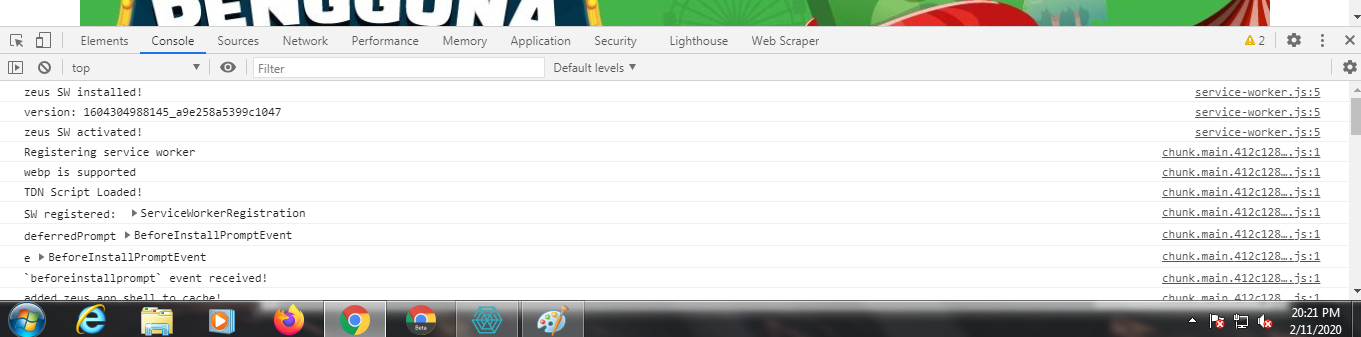
I get the following error in console screen
Would you or any of the Webscraper development team kindly help me to avoid this 403 error?
Is there a chrome plugin that I can use to bypass this error? Or there is chrome setting that I can change ? Or maybe use mozilla to change the header user agent
Because if webscraper are unable to bypass this 403 error , lots of user paid or free will be unable to use webscraper also.
Thank you so much for your help 
Jan