
I'm having trouble getting the last bit of data from the See Store Details link. To begin with, I put a page load delay on and I zoom in on an area, in this case Calgary, to get the list of sites. The scrape will go through each site and open the details, but the Store Details wind up blank or null in the export. When I put the details element as a child of Amenities, which is what I believe is opening the Store Details link, it doesn't provide me any data at all - like no export at all. Any suggestions?
I also tried it with the click element selector. Doing this allows me to put the details selector into the Parent of amenities, but I still get Null for the store details.
I am not sure how to fix this but I did notice they get all their data from an API. So you can capture the api link, pass a header and it will dump 250 records into JSON which you convert.
Thank you for the tip and your example looks exactly what I would like to do with other regions. However, I basically know some HTML and this is over my head. A couple questions:
I believe I found the api link - is this similar to what you used with different lat and long?: https://api.7-eleven.com/v4/stores/?lat=50.97198605268695&lon=-113.9339620439887&features=&radius=40.2335&limit=250&curr_lat=50.97198605268695&curr_lon=-113.9339620439887
How do I pass a header on the API link? It sounds like I may need additional software for that. I added JSONView extension on Chrome, but I think I'm missing the step of getting it to a JSON file. Is there an online tool or a way to do this with a browser?
Do I need to use Python to accomplish this?
I'm not sure if you need python to accomplish it. This isn't more forte but you can download a lot of information with out that and w/o passing the header.
Step one, go the web page
open Developer Tools and head to the Network Tab and click XHR
Should look like this
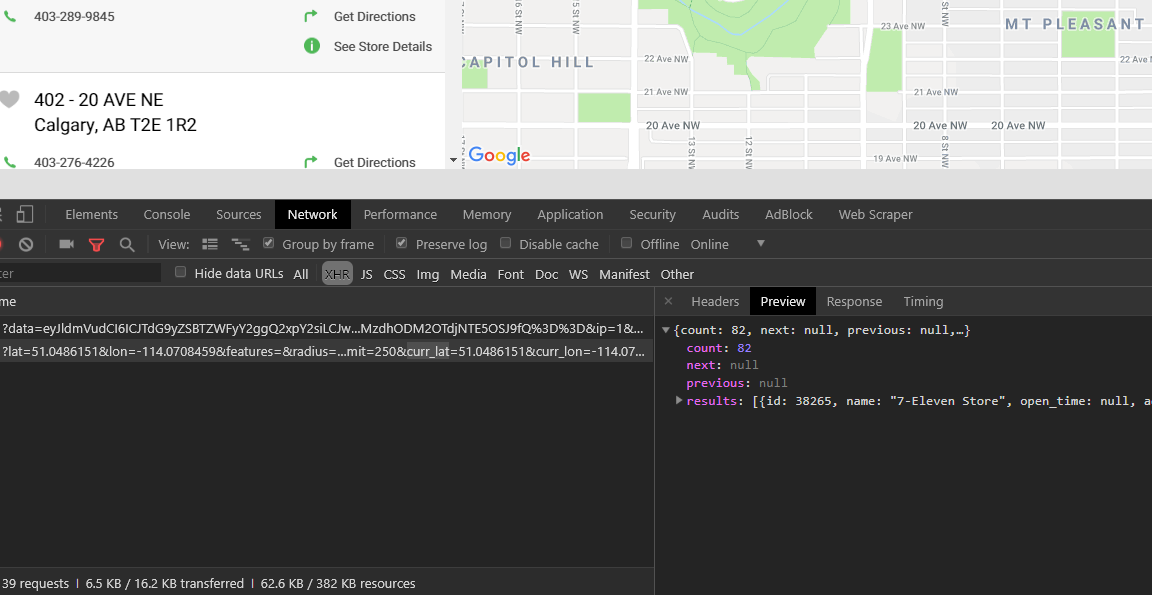
If you don't see any link reload the page and enter calgery into the search.
Now one of those two links is the api call and you can tell by clicking on the preview bottom in the right pane
Once you located into click over to the response tab (also on the right pane)
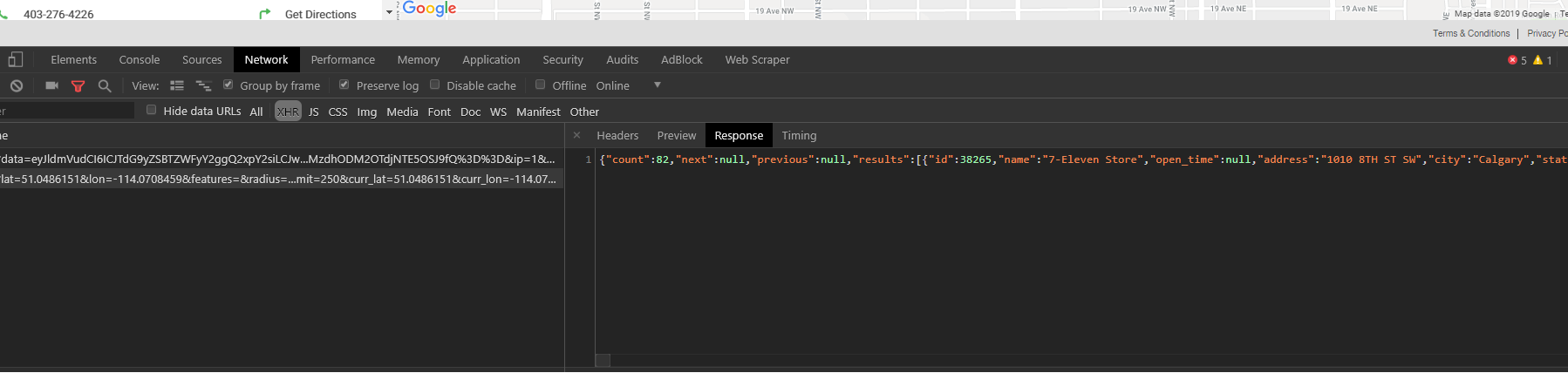
Copy that and head to your favorite Json to CSV converting web page and see if it gives you want you want
In this case it dumps 82 locations for us

Let me know if that helps. To click on each location, that requires Programming and it's not my forte
This is life changing!!! Thanks so much! I was so close - I was on the preview tab trying to convert that data. Thanks again.