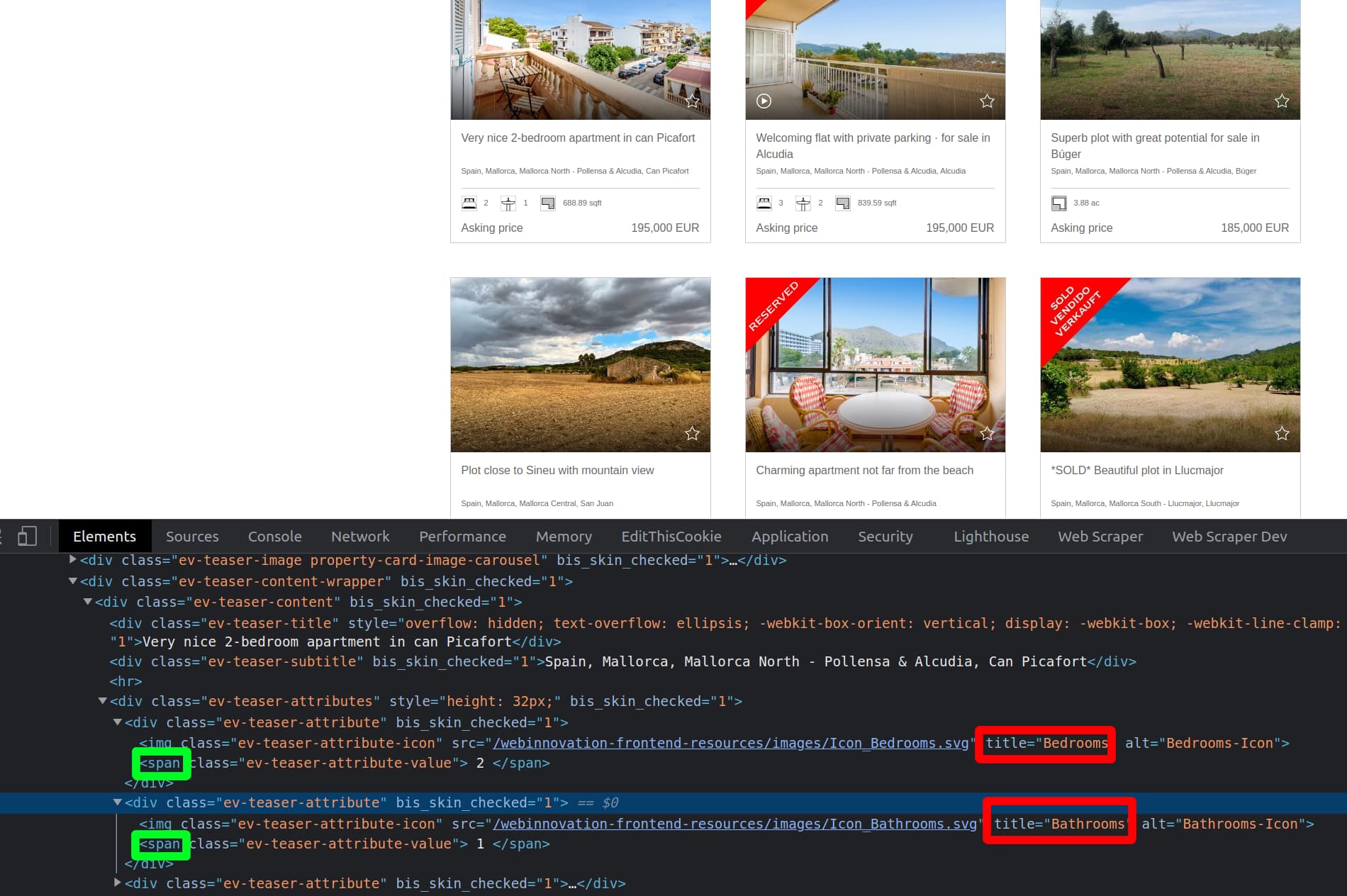
I am attempting to grab text values on a results page where some attributes will be available but others will not. At the moment I am unable to fix values against some kind of id (although it appears that it is possible). For example, 1 page will display 6 key facts like price, bedrooms, bathrooms, plot, etc but another page will only display price and plot. These items are fixed on the node level and I've tried to set attribute values that have exact text match but it does not work. Here is an output of the div that i would like to map against the id values somehow:
<div class="ev-exposee-content ev-key-facts"> <div class="ev-key-fact hide-none-phone show-phone show-tablet"> <img class="ev-key-fact-icon" src="/webinnovation-frontend-resources/images/Icon_Price.svg" title="Price" alt="Price-Icon"> <div class="ev-key-fact-value"> 65.000.000 EUR </div> <div class="ev-key-fact-title"> Price </div> </div> <div class="ev-key-fact"> <img class="ev-key-fact-icon" src="/webinnovation-frontend-resources/images/Icon_Bedrooms.svg" title="Bedrooms" alt="Bedrooms-Icon"> <div class="ev-key-fact-value"> 7 </div> <div class="ev-key-fact-title">Bedrooms</div> </div> <div class="ev-key-fact"> <img class="ev-key-fact-icon" src="/webinnovation-frontend-resources/images/Icon_Bathrooms.svg" title="Bathrooms" alt="Bathrooms-Icon"> <div class="ev-key-fact-value"> 6 </div> <div class="ev-key-fact-title">Bathrooms</div> </div> <div class="ev-key-fact"> <img class="ev-key-fact-icon" src="/webinnovation-frontend-resources/images/Icon_LivingSpace.svg" title="Living area approx." alt="Living area approx.-Icon"> <div class="ev-key-fact-value"> 2,300 m² </div> <div class="ev-key-fact-title">Living area approx.</div> </div> <div class="ev-key-fact"> <img class="ev-key-fact-icon" src="/webinnovation-frontend-resources/images/Icon_PropertyArea.svg" title="Plot surface approx." alt="Plot surface approx.-Icon"> <div class="ev-key-fact-value"> 4,250 m² </div> <div class="ev-key-fact-title">Plot surface approx.</div> </div> <div class="ev-key-fact hide-phone hide-tablet" itemprop="offers" itemscope="" itemtype="http://schema.org/Offer"> <link itemprop="availability" href="http://schema.org/InStock"> <img class="ev-key-fact-icon" src="/webinnovation-frontend-resources/images/Icon_Price.svg" title="Price" alt="Price-Icon"> <div class="ev-key-fact-value"> <span itemprop="price" content="65000000"> 65.000.000 </span> <span itemprop="priceCurrency" content="EUR"> EUR </span> </div> <div class="ev-key-fact-title"> Price </div> </div> </div>
would appreciate any assistance with this one. Thanks