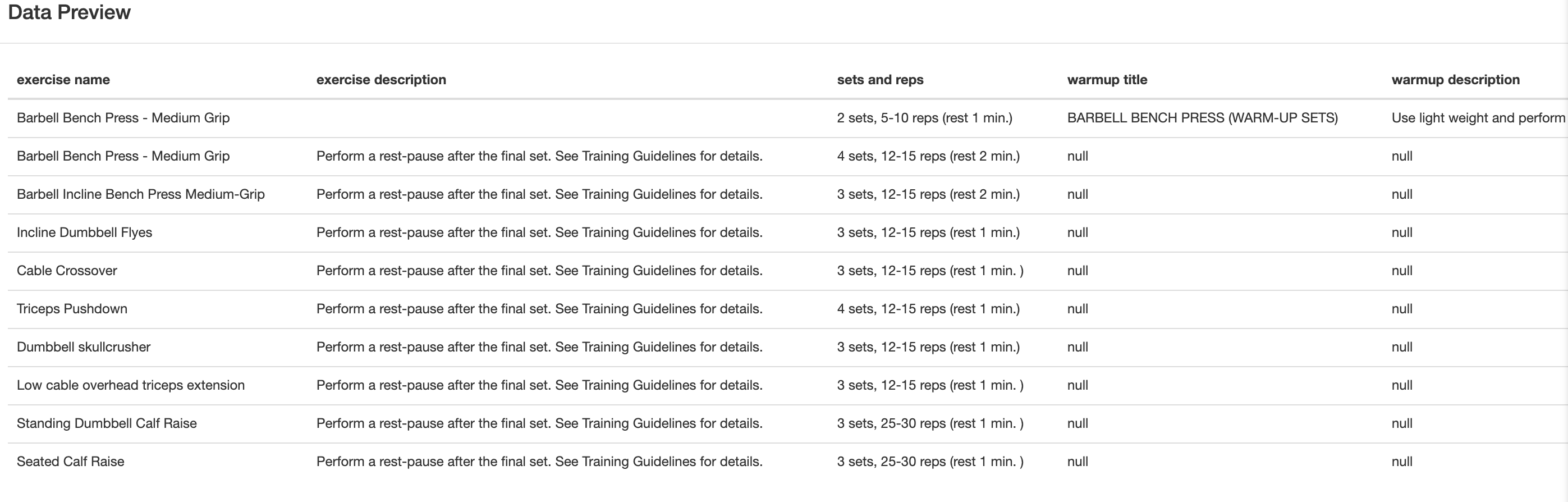
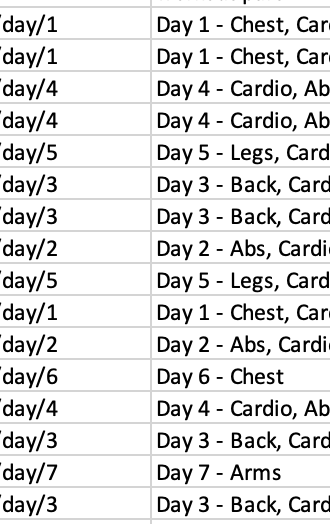
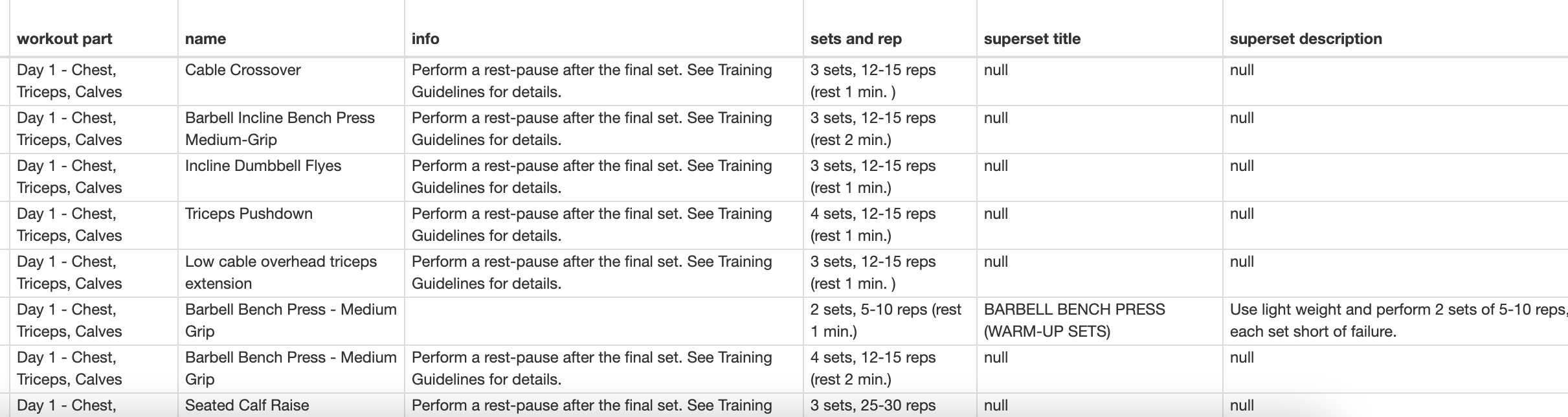
I am scraping first 7 pages (out of 56) but once it exports the data they are all out of order. You can see in the image below that the numbers are all out of order.
This is for a workout and I want all of the exercises to be in order. Sadly you need to login to see the workouts.
When you scrape a single page it shows everything in order but once you add multiple pages they become out of order.
exported data
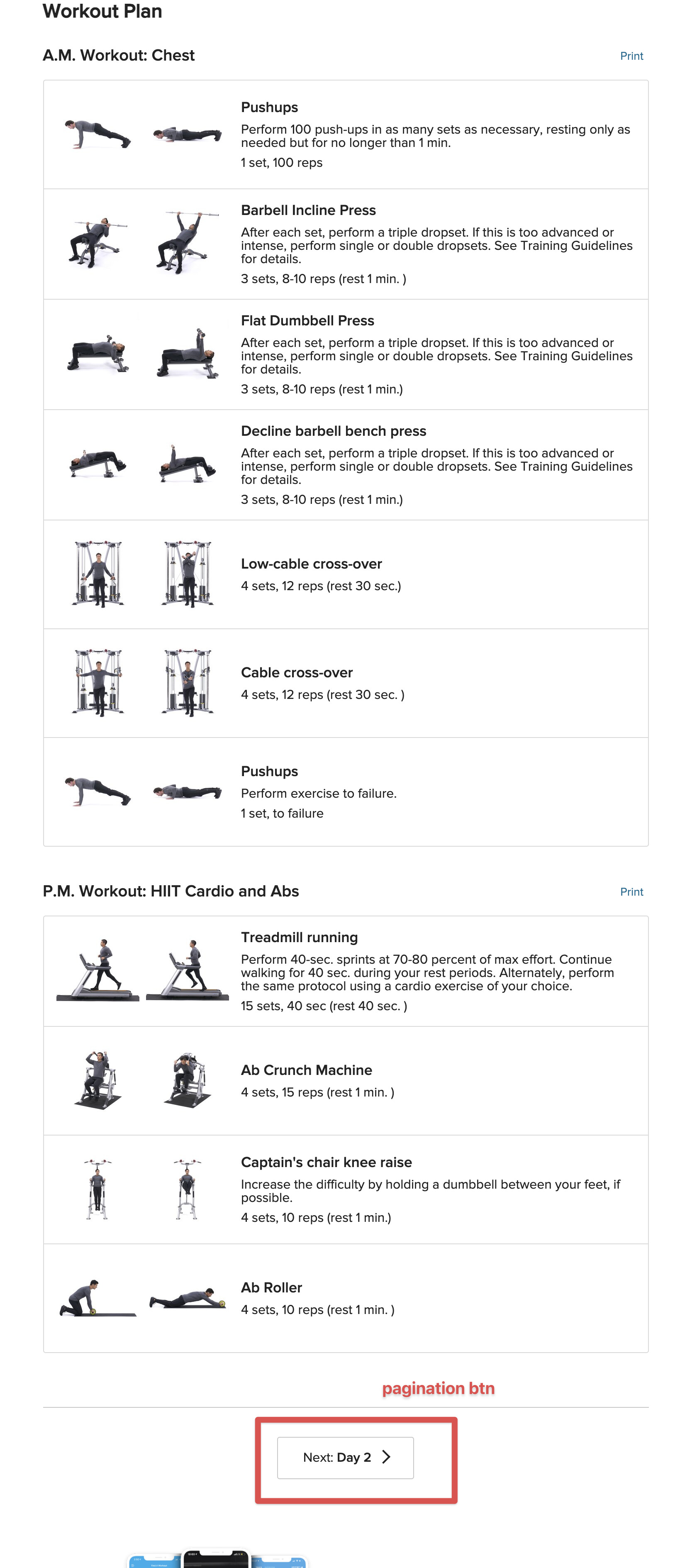
workout table and pagination button:
Sitemap:
{"_id":"chiseled-weight-loss","startUrl":["https://www.bodybuilding.com/workout-plans/rsp-chiseled-sculpt-your-best-body-in-8-weeks/day/[1-7]"],"selectors":[{"id":"workout part","type":"SelectorText","parentSelectors":["_root"],"selector":"h1","multiple":false,"regex":"","delay":0},{"id":"exercise part","type":"SelectorElement","parentSelectors":["_root"],"selector":"div.cms-article-list__content--container","multiple":true,"delay":0},{"id":"name","type":"SelectorText","parentSelectors":["exercise part"],"selector":"a.cms-article-workout__exercise--title","multiple":false,"regex":"","delay":0},{"id":"info","type":"SelectorText","parentSelectors":["exercise part"],"selector":"div.cms-article-workout__exercise--description","multiple":false,"regex":"","delay":0},{"id":"sets and rep","type":"SelectorText","parentSelectors":["exercise part"],"selector":".cms-article-workout__sets--definition span","multiple":false,"regex":"","delay":0},{"id":"superset title","type":"SelectorText","parentSelectors":["exercise part"],"selector":"div.cms-article-list__content--group-title","multiple":false,"regex":"","delay":0},{"id":"superset description","type":"SelectorText","parentSelectors":["exercise part"],"selector":"div.cms-article-list__content--group-description","multiple":false,"regex":"","delay":0}]}
Edit:
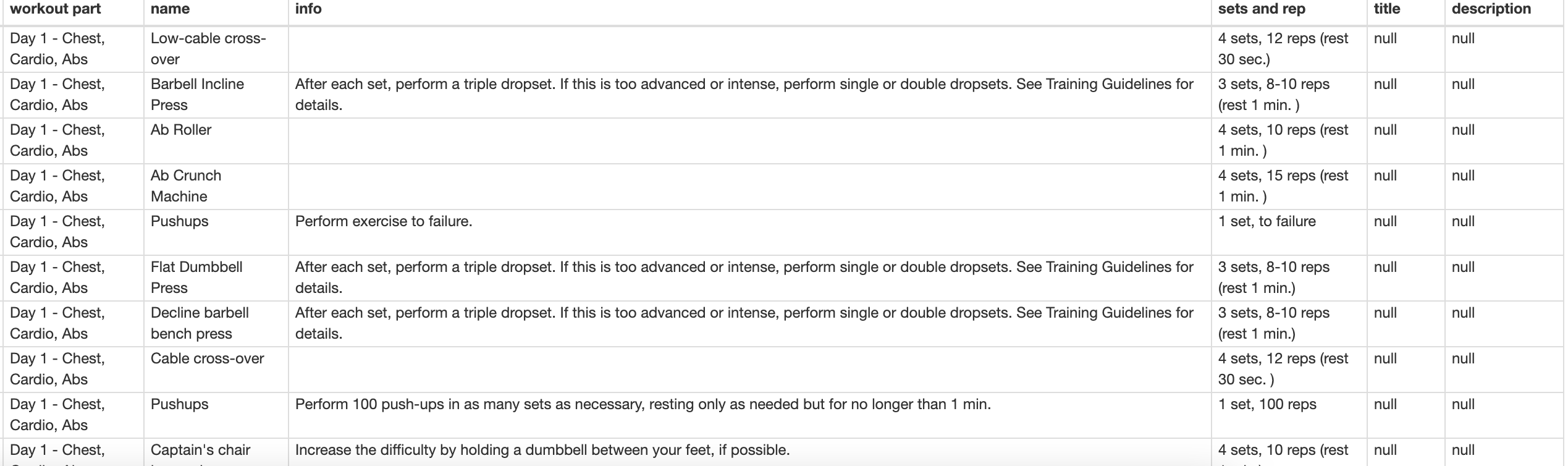
oh even when I only scrape one page the exercises get scraped out of order (Compare it to the screenshot of the workout above)
Edit 2:
Seems like changing the delay for page load and interval makes a difference but even putting both on 10 seconds and watching the entire page load the outcome is still everything out of order.
How can I fix this and make sure the data come out in order?