I am trying to scrape the youtube video IDs from the search result using Webscraper.
It seems to be unable. I have set the type to element scroll down and select the Video title.
Could you please help me to solve this?
Thank you very much!
@Durian Hi.
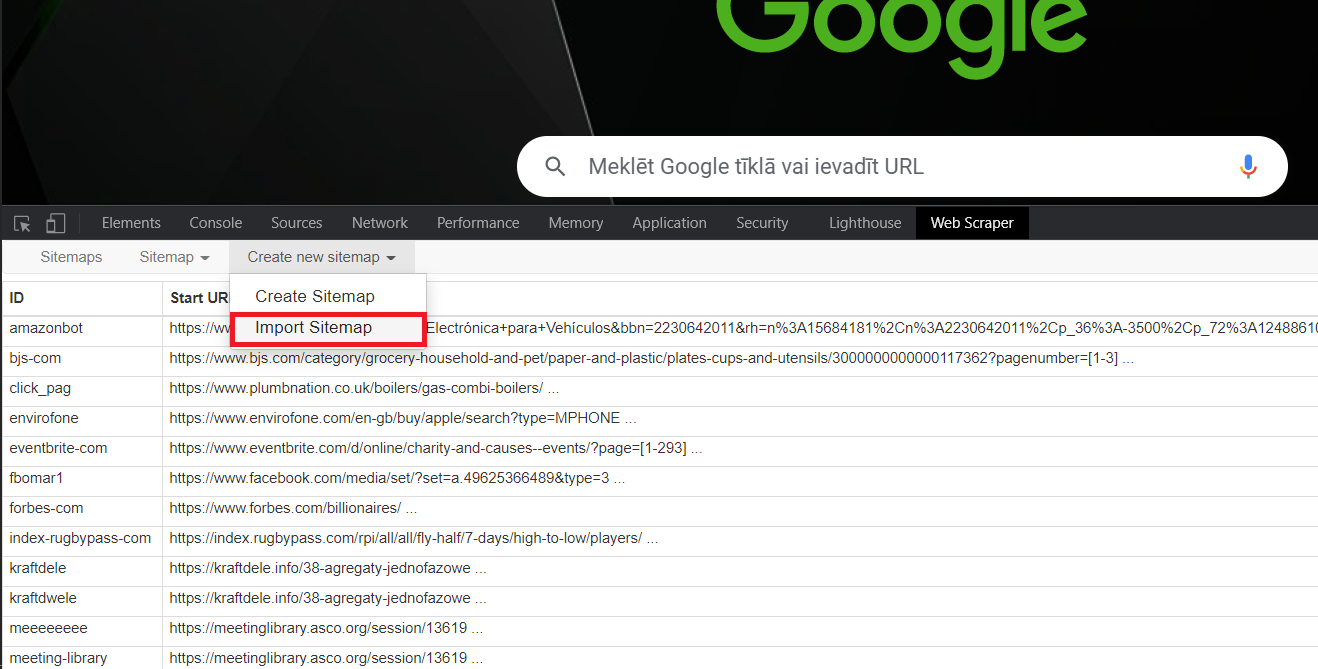
The max time you can spend scrolling or clicking in one page is about 20 minutes btw. But this should work:
{"_id":"youtube-music","startUrl":["https://www.youtube.com/results?search_query=music"],"selectors":[{"id":"wrapper-scroll","type":"SelectorElementScroll","parentSelectors":["_root"],"selector":".ytd-section-list-renderer:nth-of-type(-n+20) div#contents.ytd-item-section-renderer","multiple":true,"delay":2000},{"id":"title-id","type":"SelectorElementAttribute","parentSelectors":["wrapper-scroll"],"selector":"a#video-title","multiple":true,"extractAttribute":"href","delay":0},{"id":"title","type":"SelectorText","parentSelectors":["wrapper-scroll"],"selector":"ytd-video-renderer.ytd-item-section-renderer .yt-simple-endpoint yt-formatted-string","multiple":false,"regex":"","delay":0}]}
Hi @ViestursWS ,
thank for your reply. It sounds promising but I don't know how to put it in the Webscraper interface. I actually followed the tutorials from Webscraper not like this. A screenshot should be really helpful.
Many thanks!