
Scrape lat and long

hi all,
I need to retrieve geo coordinates from a page that show a map on scroll but i'm not able to scroll till the map. I'm not an expert and i don't know how describe the map works, I know that coordinates are in the html code.
Could you help me?

Sitemap:
{"_id":"pippo","startUrl":["https://www.tripadvisor.it/Restaurant_Review-g1020917-d5872580-Reviews-Agriturismo_Tenute_Pollara_by_Casa_Mia-Corleone_Province_of_Palermo_Sicily.html"],"selectors":[{"id":"scroll","type":"SelectorElementClick","parentSelectors":["_root"],"selector":"li#TABS_LOCATION.tabs_pers_item span.tabs_pers_titles","multiple":false,"delay":"5","clickElementSelector":"li#TABS_LOCATION.tabs_pers_item span.tabs_pers_titles","clickType":"clickMore","discardInitialElements":false,"clickElementUniquenessType":"uniqueText"},{"id":"lat","type":"SelectorElementAttribute","parentSelectors":["scroll"],"selector":"div.mapContainer","multiple":false,"extractAttribute":"data-lat","delay":"5"}]}
Hi there!

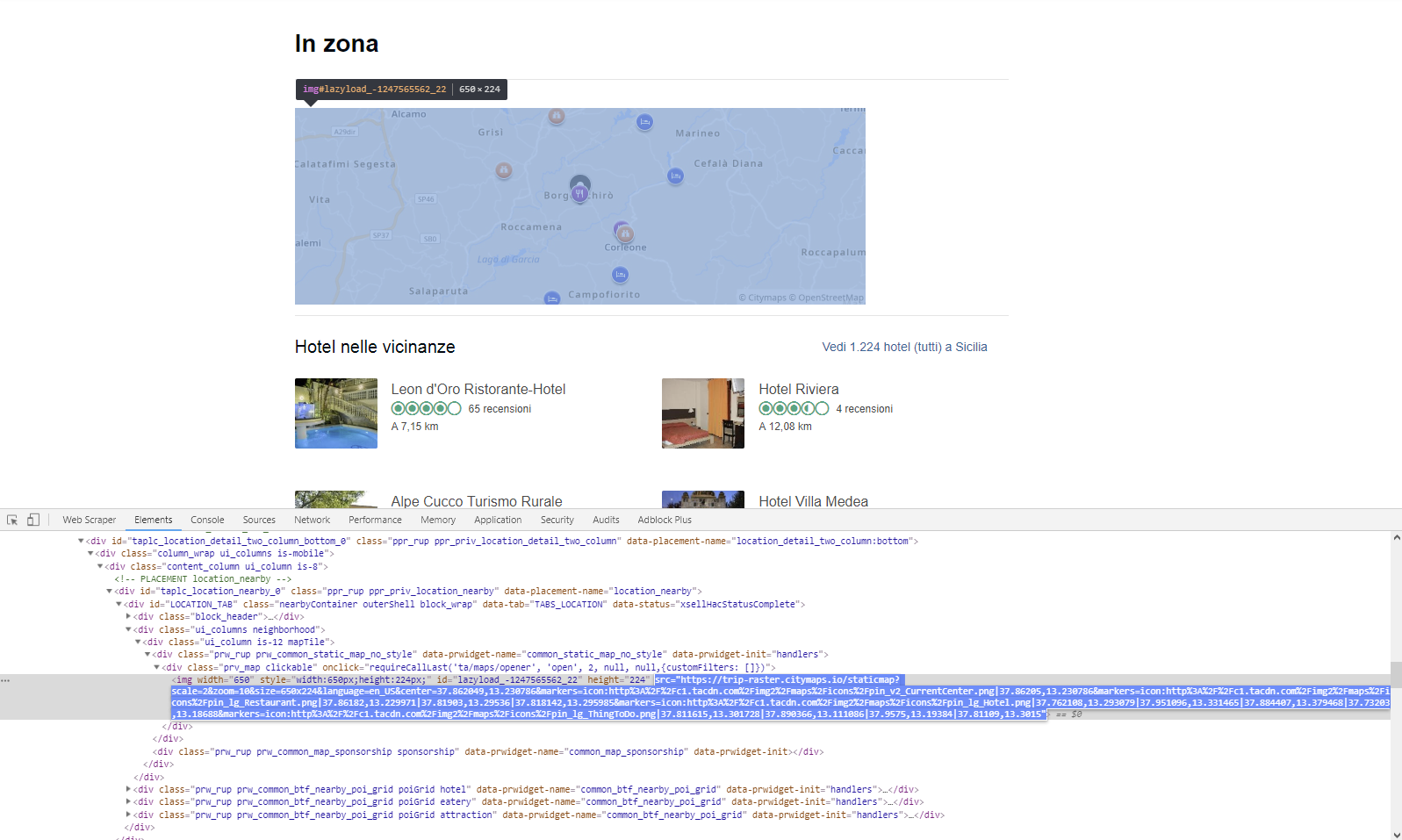
You've set an Element Attribute selector, and assigned an attribute to extract that does not exist on a page, it's not listed in the element you've selected:


What can be actually done, is getting an URL that map image leads to, as it does contain some coords.
Correct Image selector would be: div.ui_column div.prv_map img

You don't need an Element Click selector for it as well, you can simply use Element Scroll for it to scroll down to content so it loads properly.

Please try this one out:

{"_id":"pippo2","startUrl":["https://www.tripadvisor.it/Restaurant_Review-g1020917-d5872580-Reviews-Agriturismo_Tenute_Pollara_by_Casa_Mia-Corleone_Province_of_Palermo_Sicily.html"],"selectors":[{"id":"scroll","type":"SelectorElementScroll","selector":"div.ui_column div.prv_map img","parentSelectors":["_root"],"multiple":false,"delay":"1000"},{"id":"lat","type":"SelectorImage","selector":"_parent_","parentSelectors":["scroll"],"multiple":false,"delay":""}]}

Hi @iconoclast, thank you so much! I'll try your suggestion and then I'll extract the coordinates from the string with Swift.

Have a nice day

Hi

I have been trying to perform exactly the same task.

(https://www.tripadvisor.es/Restaurant_Review-g187454-d10508001-Reviews-Restaurante_Zutik_Cardiles-Bilbao_Province_of_Vizcaya_Basque_Country.html)

with this extractor:

{"id":"rest_properties_coord","type":"SelectorElementAttribute","parentSelectors":["rest_properties_detail"],"selector":"div.prv_map.clickable img","multiple":false,"extractAttribute":"src","delay":0}

but I only keep getting

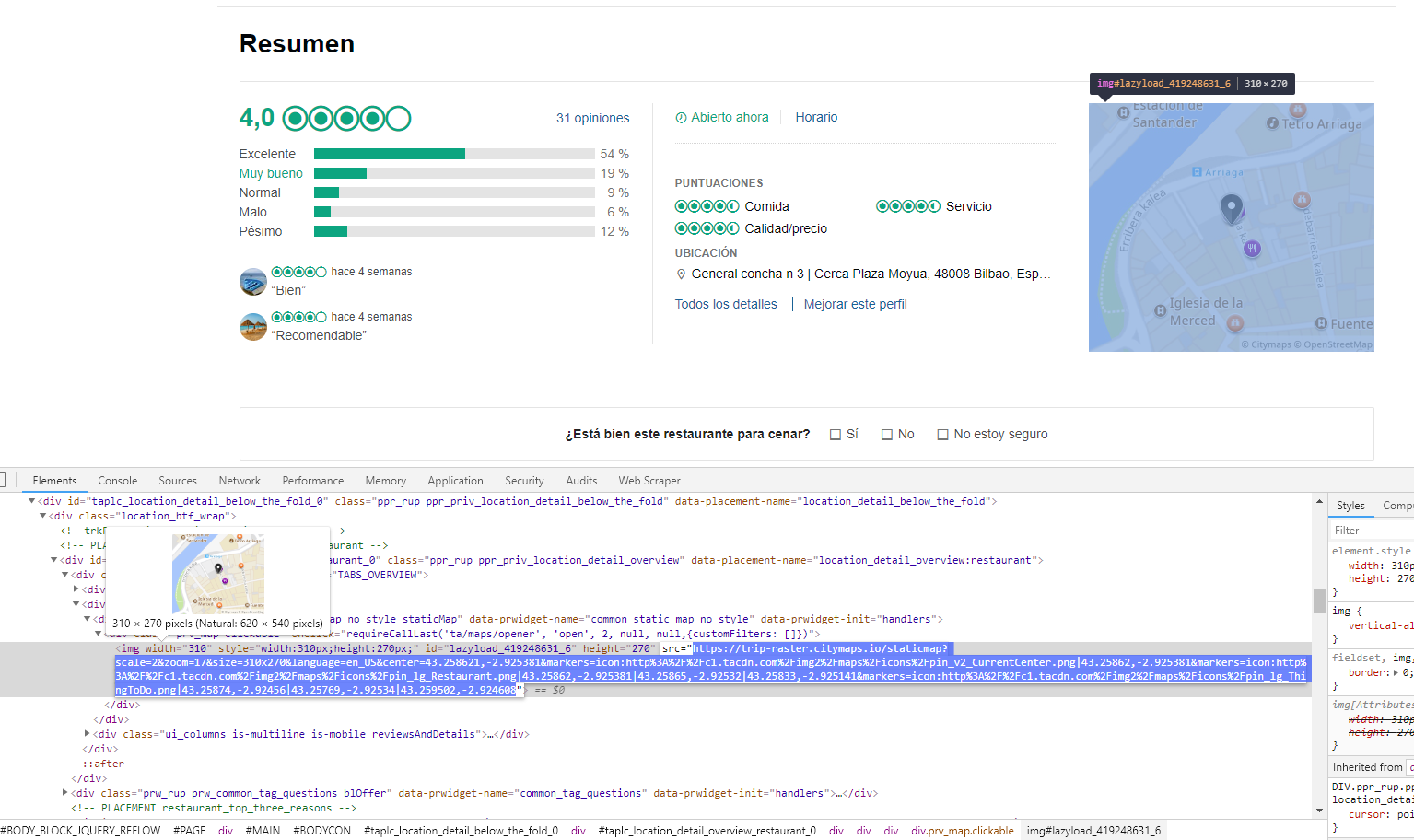
"https://static.tacdn.com/img2/x.gif"

instead of everything after src= , where the coordinates are.

Any hint on this?

Thanks a lot!

Hi @javier!

It will render element only if you scroll down to it using Element Scroll selector.

Your sitemap:

{"_id":"tripadvisor","startUrl":["https://www.tripadvisor.es/Restaurant_Review-g187454-d10508001-Reviews-Restaurante_Zutik_Cardiles-Bilbao_Province_of_Vizcaya_Basque_Country.html"],"selectors":[{"id":"coords","type":"SelectorElementAttribute","parentSelectors":["scroll"],"selector":"div.ui_column div.prv_map img","multiple":false,"extractAttribute":"src","delay":0},{"id":"scroll","type":"SelectorElementScroll","parentSelectors":["_root"],"selector":"div.ui_columns.neighborhood","multiple":false,"delay":0}]}

Well, thanks a lot, I do not understand why but it works just fine! :slight_smile:

I'm glad I've helped.

What I ment is, data you look for won't show if you will not scroll down. Some websites care for your resourses and won't show unnecessary data until you click to show it or scroll down to actually see it.