
Hi @chefas
I want to scrape an image from a table with all the text data contained in that table, but when the web scraper extension identifies the rows and columns it do not fint the image URK attatched in this table.
I've tryed to make a new selector with "Image" but the rows of the text data and the Image URL do not match and I need to be the same. (I need that everi row of text has its own URL image correspondant to that row)
Here is a screenshot of the website table i need to scrape
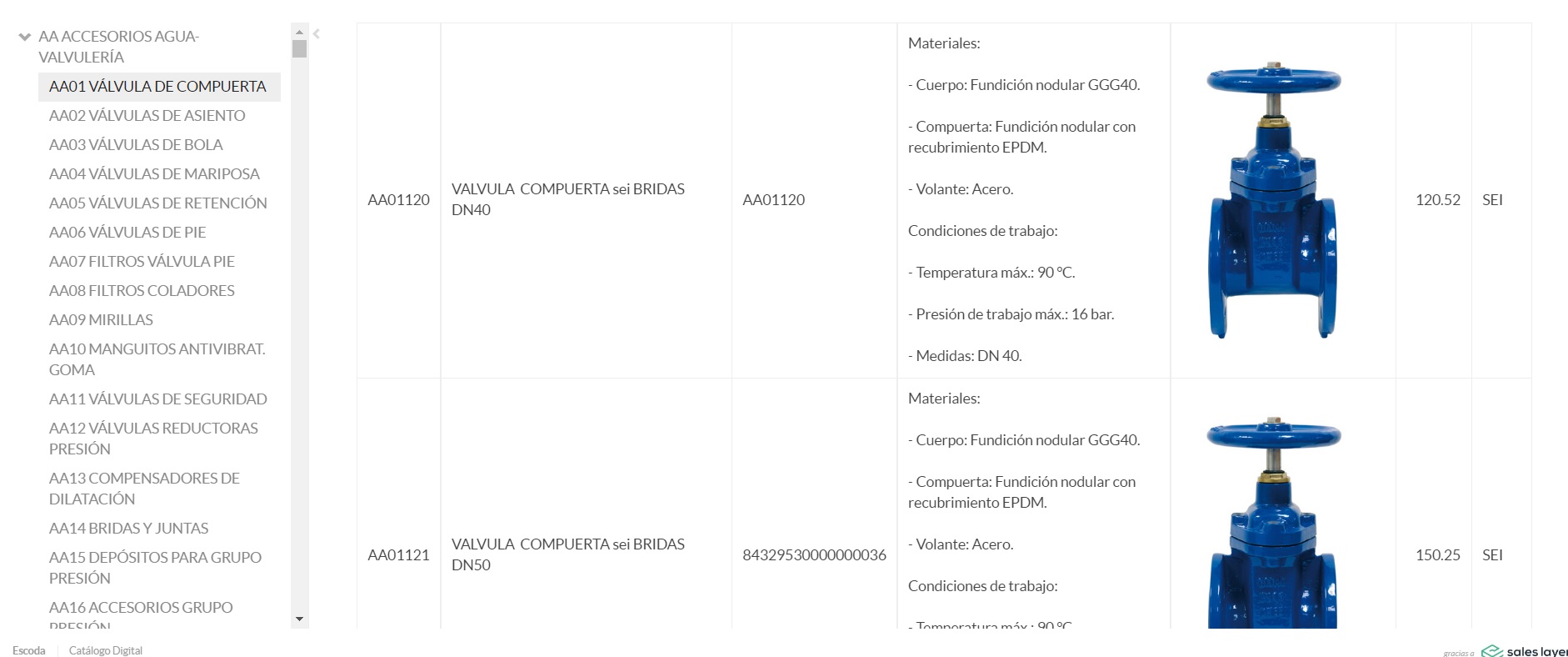
As you can see here
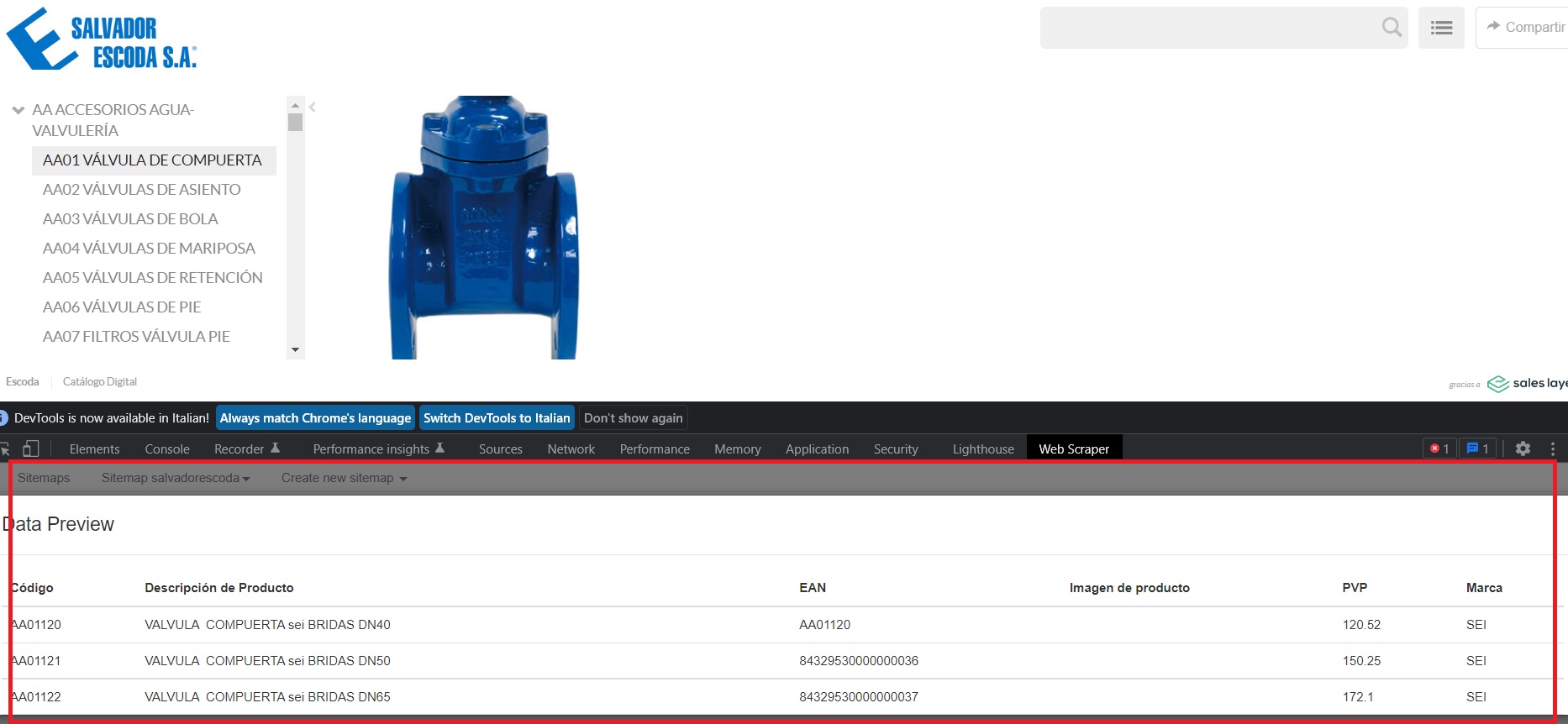
the table selector of the extension find every field as in need but the image URL is not extracted.
Can you help me figure out how to extract the image also in the same row as all the other data?
Kind regards
Sitemap:
{"_id":"salvadorescoda","startUrl":["https://catalo.gr/escoda"],"selectors":[{"id":"Pagination","parentSelectors":["_root","Pagination"],"type":"SelectorLink","selector":".is_bottom a","multiple":true},{"id":"Link","parentSelectors":["_root","Pagination"],"type":"SelectorLink","selector":".box_list_item a","multiple":true},{"id":"link2","parentSelectors":["Link"],"type":"SelectorLink","selector":".box_list_item a","multiple":true},{"id":"product","parentSelectors":["link2"],"type":"SelectorLink","selector":".box_list_item a","multiple":true},{"id":"Table","parentSelectors":["product"],"type":"SelectorTable","multiple":true,"selector":"table","tableDataRowSelector":"tbody tr","tableHeaderRowSelector":"thead tr","columns":[{"extract":true,"header":"Código","name":"Código"},{"extract":true,"header":"Descripción de Producto","name":"Descripción de Producto"},{"extract":true,"header":"EAN","name":"EAN"},{"extract":true,"header":"Imagen de producto","name":"Imagen de producto"},{"extract":true,"header":"PVP","name":"PVP"},{"extract":true,"header":"Marca","name":"Marca"}]},{"id":"Imagen","parentSelectors":["product"],"type":"SelectorImage","selector":"li img","multiple":true}]}