
NFL data PFF extract using Element and Text


Hi everyone,

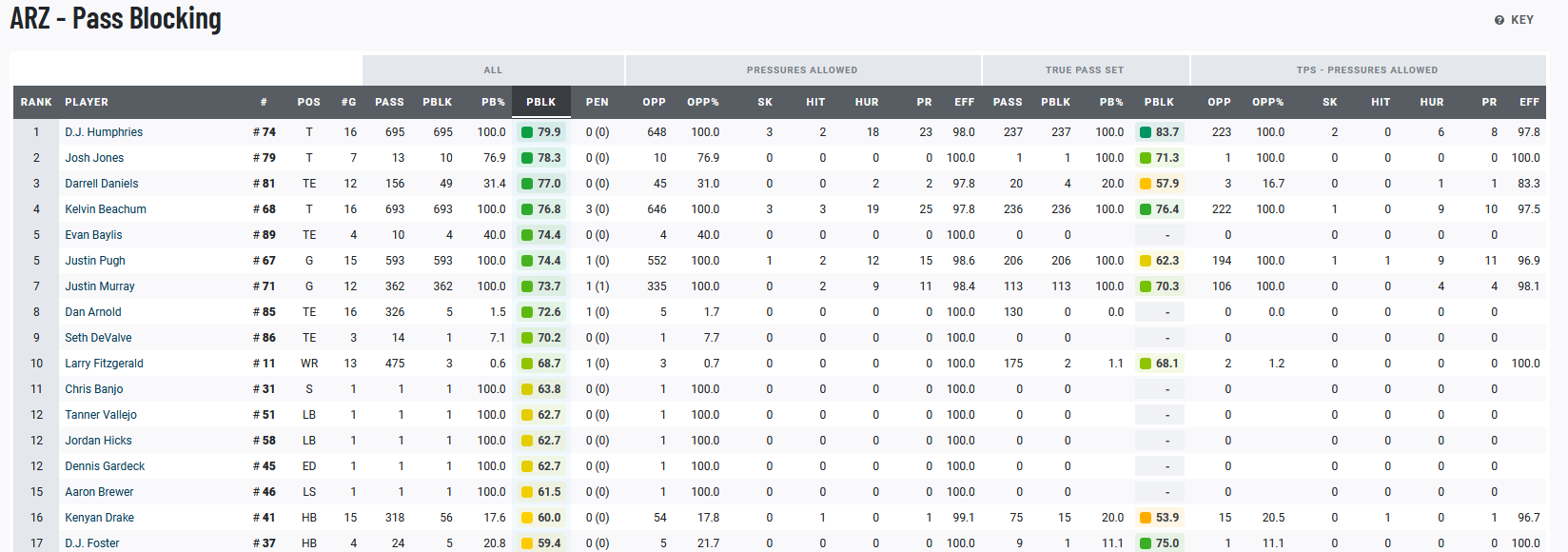
I'm having a hard time scrapping data from PFF stats. My preview looks great but won't extract into excel sheet, with only the headers showing up.

You won't be able to see all stats if you don't have a username however you will still be able to see the following table, which would help me apply the scrapping method to my target table.

https://premium.pff.com/nfl/teams?season=2020&weekGroup=REGPO

I tried creating a Element with multiple selection and then text selectors within that root element but nothing is extracting. I've read that text selections should not be multiple however the data preview only shows all selections when multiple is selected, with the .csv extract not working regardless of multiple text approach.

Is anyone able to help? Thank you in advance, this has been driving me crazy as it seems so simple and the preview looks great! then nothing...

Have a great day everyone

{"_id":"pff","startUrl":["Premium Statsroot"],"selector":"div.kyber-table-body__rows","multiple":true,"delay":0},{"id":"teams","type":"SelectorText","parentSelectors":["nfl"],"selector":"div.d-flex","multiple":true,"regex":"","delay":0},{"id":"record","type":"SelectorText","parentSelectors":["nfl"],"selector":".kyber-table-body__scrolling-rows-container div.kyber-table-body-cell--align-left","multiple":true,"regex":"","delay":0},{"id":"pf","type":"SelectorText","parentSelectors":["nfl"],"selector":"div.kyber-table-body-cell--align-right:nth-of-type(2)","multiple":true,"regex":"","delay":0}]}
Hi, were you able to scrape the PFF data? I too would like to scrape their site for player grades by game. Any help would be appreciated.

Thank you in advance.

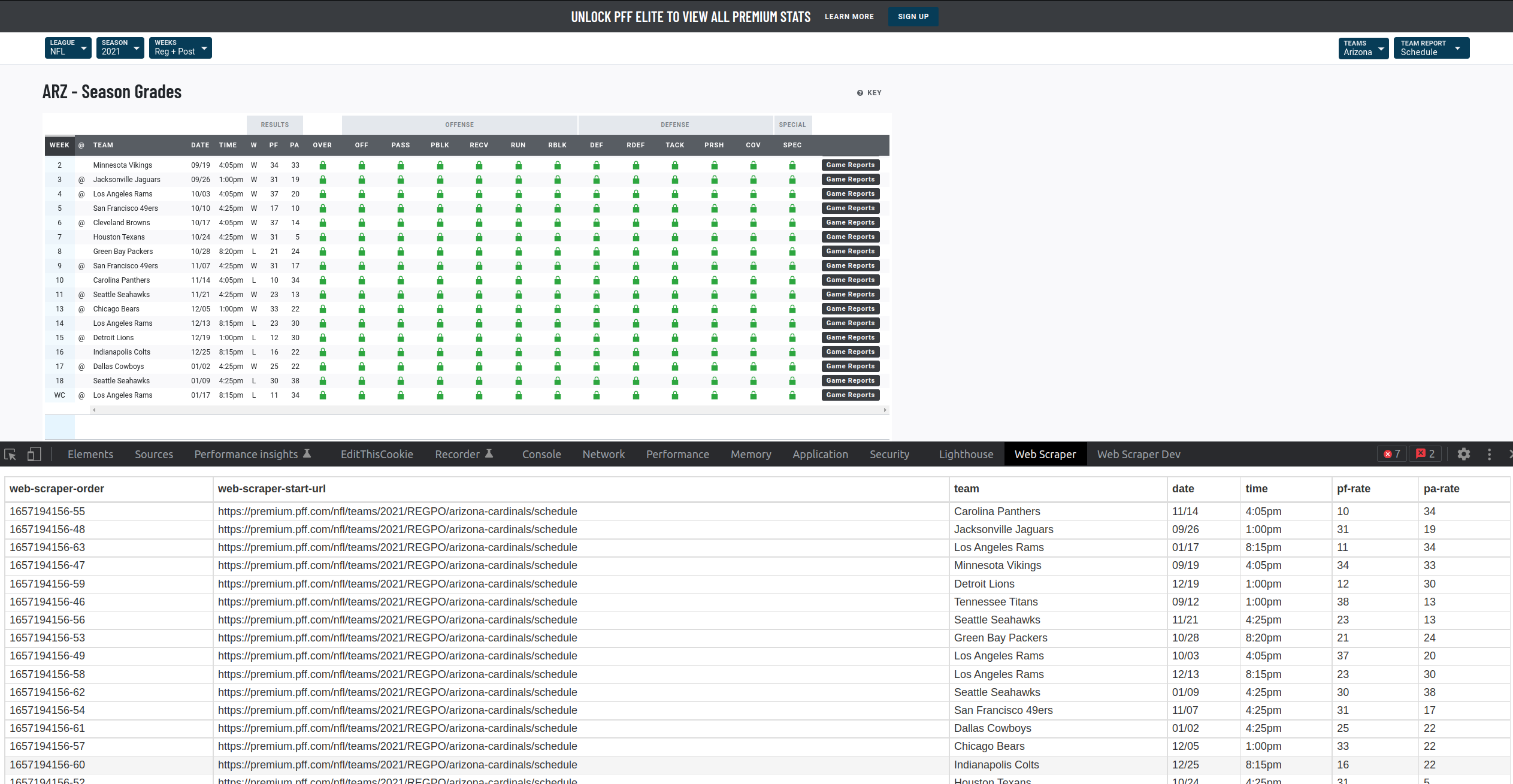
@casler Hi, are you looking to achieve an output similar to this?

If so - it is possible to be done using an 'Element' selector.

Example:

{"_id":"premium-pff-com","startUrl":["https://premium.pff.com/nfl/teams/2021/REGPO/arizona-cardinals/schedule"],"selectors":[{"delay":0,"id":"wrapper","multiple":true,"parentSelectors":["_root"],"selector":"div[style=\"min-width: 1143px; min-height: 24px;\"]","type":"SelectorElement"},{"delay":0,"id":"team","multiple":false,"parentSelectors":["wrapper"],"regex":"","selector":"div:nth-of-type(1)","type":"SelectorText"},{"delay":0,"id":"date","multiple":false,"parentSelectors":["wrapper"],"regex":"","selector":"div:nth-of-type(2)","type":"SelectorText"},{"delay":0,"id":"time","multiple":false,"parentSelectors":["wrapper"],"regex":"","selector":"div:nth-of-type(3)","type":"SelectorText"},{"delay":0,"id":"pf-rate","multiple":false,"parentSelectors":["wrapper"],"regex":"","selector":"div:nth-of-type(5)","type":"SelectorText"},{"delay":0,"id":"pa-rate","multiple":false,"parentSelectors":["wrapper"],"regex":"","selector":"div:nth-of-type(6)","type":"SelectorText"}]}

Yes, something similar. I was looking at the players stats per game.

Hey guys. Thanks for replying to my question. I had given up on the scrapping. How'd it go?

yep, that's the output I'm looking for

Okay, so how do I achieve this output? It's not working for me.