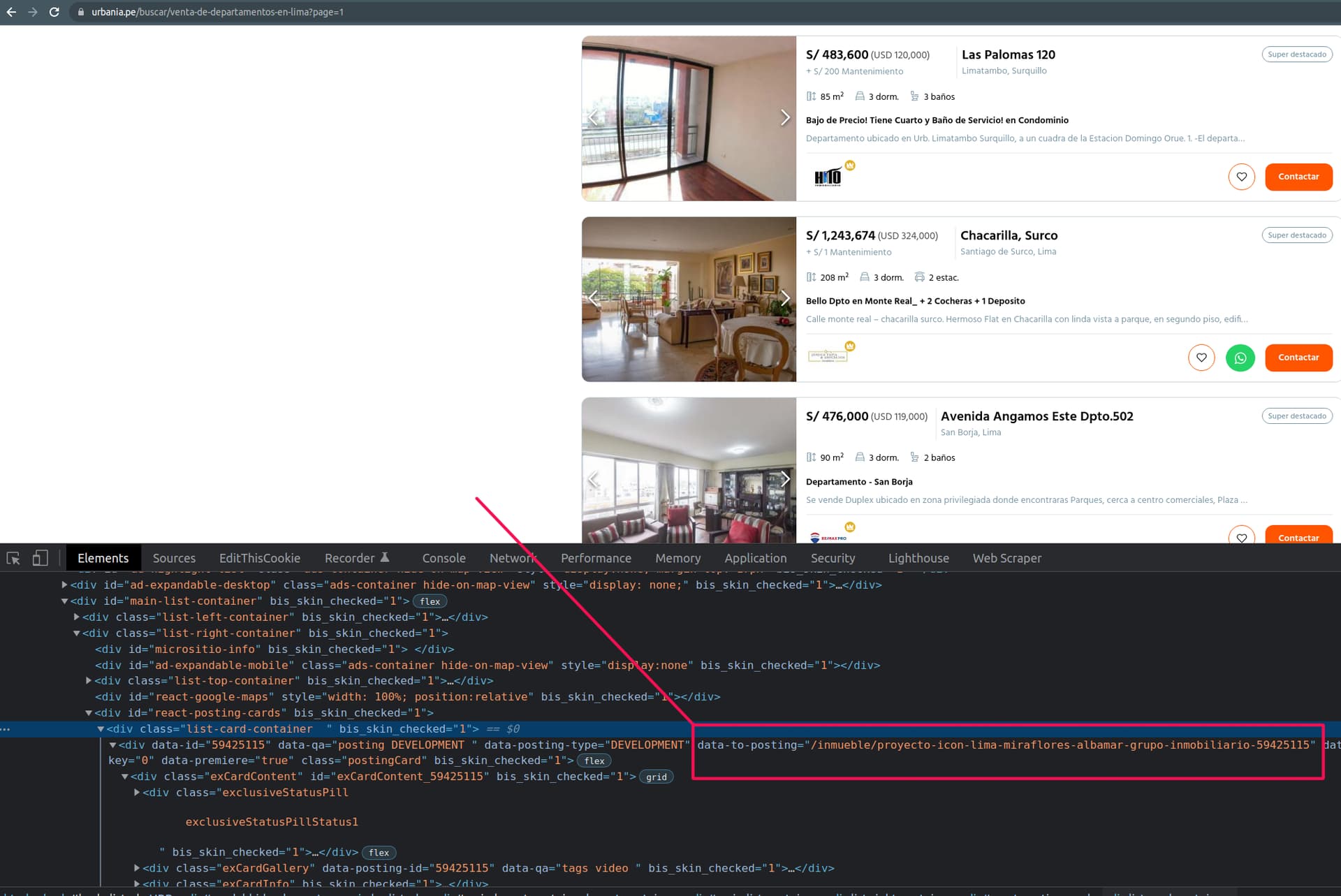
The site displays several items. Each item redirects to a new url that contains the full information I want to extract. The problem is that neither the item element nor any of its children contain an <a> element. The only url I've found is the one in the data-to-posting attribute of a <div> element. But it doesn't act as a link so I can't navigate with the scraper.
Also, the site is using react, so I'm guesing this could be the problem maybe.
Url: https://urbania.pe/buscar/venta-de-departamentos?page=1
Sitemap:
{ "_id":"urbania_depto", "startUrl":[ "https://urbania.pe/buscar/venta-de-departamentos-en-lima?page=[1-3]" ], "selectors":[ { "delay":0, "id":"element", "multiple":true, "parentSelectors":[ "_root" ], "selector":"#react-posting-cards > div > div > div:nth-child(n)", "type":"SelectorLink" }, { "delay":0, "id":"metros", "multiple":false, "parentSelectors":[ "element" ], "regex":"", "selector":"div:nth-of-type(3) div.label", "type":"SelectorText" } ] }