
I just want to scrape multiple columns of text like before I updated the program. I want the name of the item in the first column, the price in the second column, and the quantity in the third column. The "multiple" checkbox is gone. "First record only", "Multiple records in multiple columns" and "Multiple records in one column" is not what I want. I want 3 columns of just text. How can I do that like I used to before I updated the program.
Hi,
The multiple checkmark would actually return the text data in several rows, not columns; thus, it is not quite clear from your description what you are trying to achieve.
Could you provide the URL containing the data you would like to scrape?
https://www.target.com/c/building-toys-games/-/N-5xt8r
I want the names of the items in the first column and the prices of the items in the second column. There should be a bunch of rows. It used to be so easy to use. Now I don't know what to do. I want all the records, not just one. I don't want multiple columns for item names. And I don't want all the items smushed together in one row. I want two columns with a bunch of rows. What do I do?
You simply need to click on the Web Scraper extension icon and the sitemaps Wizard will open and automatically create a wrapper selector and all data selectors. You can then go through the wizard steps, and the sitemap will be automatically saved in your system. You can then access and manually edit the sitemap in the advanced Web Scraper extension available in the Dev Tools.
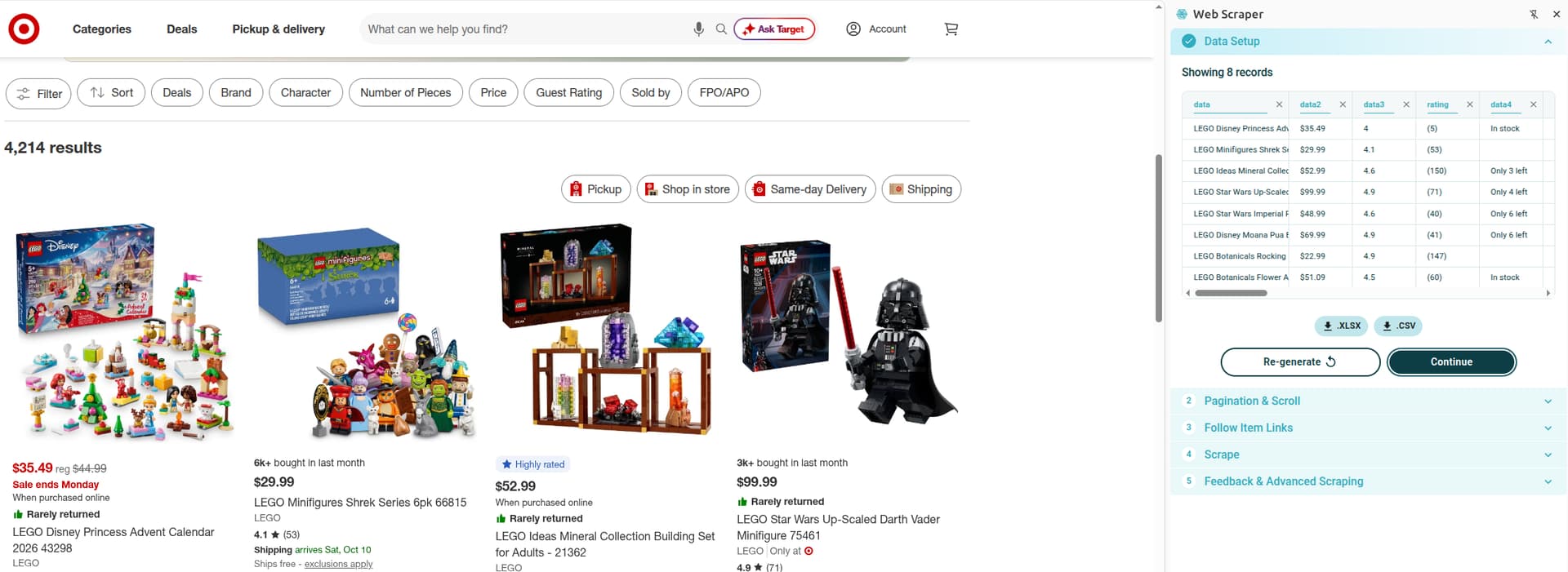
Thank you. I didn't know about the site wizard. But I'd like to recommend giving an option to allow someone to do it manually the way they did it before with the "multiple" checkbox. I just tried using the site wizard on another website and the table had data mixed up across about 40 columns when I only wanted about 5 columns. It used to take me a few minutes to set everything up manually. Now it takes way longer just to fix the data columns that the site wizard gets wrong.
The multiple checkbox was removed as many users were using this feature the wrong way.
You can achieve the multiple outcome by creating a wrapper selector that wraps similar elements, such as product listings. The data selectors, such as title, price, etc. have to be set up as child selectors of the wrapper.
Well it used to be easy to use. Now it's not. On certain sites, I can't get it to wrap things that I want it to wrap. It excludes columns I want. When I go to set it up manually, it works well, but it only let's me select the first record instead of all the records. What used to take a minute to do has become hard. What is the last version before these fancy updates and where is the best place to download it? Thanks
You should still be able to access the multiple checkbox in the Firefox browser, which is an older version.
Firefox is what I had been using. The update killed the multiple checkbox.
Version 1.96.18 should still contain the multiple checkbox