
I am trying to scrape a webpage and so far have gotten really good results,
I have everything i need other than 1 pesky thing, The Genre or TAG (which is displayed when hovering the main image before link click)
I cannot grab the genre then click the link then scrape the clicked page and have the results all in 1 row of data, I have tried all methods i know and so far it has failed me. I will provide the SiteMap i have so far, if you run it , you will see that the genre is being caught however it is separated on separate rows, rather than being at the side of the Link.
Can anybody help me fuigure this 1 out, as i would really appreciate it. Thank you.
Url: Sound Libraries and Audio Samples which sorted by genre free download
Sitemap:
{"_id":"als","startUrl":["https://audiolove.me/audio-samples/page/[700-1444]/"],"selectors":[{"id":"linker","multiple":true,"parentSelectors":["_root"],"selector":"h2 a","type":"SelectorLink"},{"id":"title","multiple":false,"parentSelectors":["linker"],"regex":"","selector":"h1","type":"SelectorText"},{"id":"image","multiple":false,"parentSelectors":["linker"],"regex":"https://audiolove.me/uploads/[^ ]+","selector":"div.textfull","type":"SelectorHTML"},{"id":"file info","multiple":false,"parentSelectors":["linker"],"regex":"","selector":"div.subtitle","type":"SelectorText"},{"id":"info","multiple":false,"parentSelectors":["linker"],"regex":"","selector":"div.articletxt","type":"SelectorText"},{"id":"catagory","multiple":false,"parentSelectors":["linker"],"regex":"","selector":"div.category","type":"SelectorText"},{"id":"dateadded","multiple":false,"parentSelectors":["linker"],"regex":"","selector":"time","type":"SelectorText"},{"id":"video","multiple":false,"parentSelectors":["linker"],"regex":"YouTube[^ ]+","selector":"div.articletxt","type":"SelectorHTML"},{"id":"soundcloud","multiple":false,"parentSelectors":["linker"],"regex":"https://w.soundcloud.com/player/[^ ]+","selector":".soundcloudclass","type":"SelectorHTML"},{"id":"mp3","multiple":false,"parentSelectors":["linker"],"regex":"https://cdn-prd.sounds.com[^ ]+","selector":".dleaudioplayer","type":"SelectorHTML"},{"id":"home","multiple":false,"parentSelectors":["linker"],"selector":"span.hidden-linkHP","type":"SelectorPopupLink"},{"id":"genre","multiple":true,"parentSelectors":["_root"],"regex":"","selector":"span[itemprop='genre']","type":"SelectorText"}]}
The Results from this scrape are as follows...
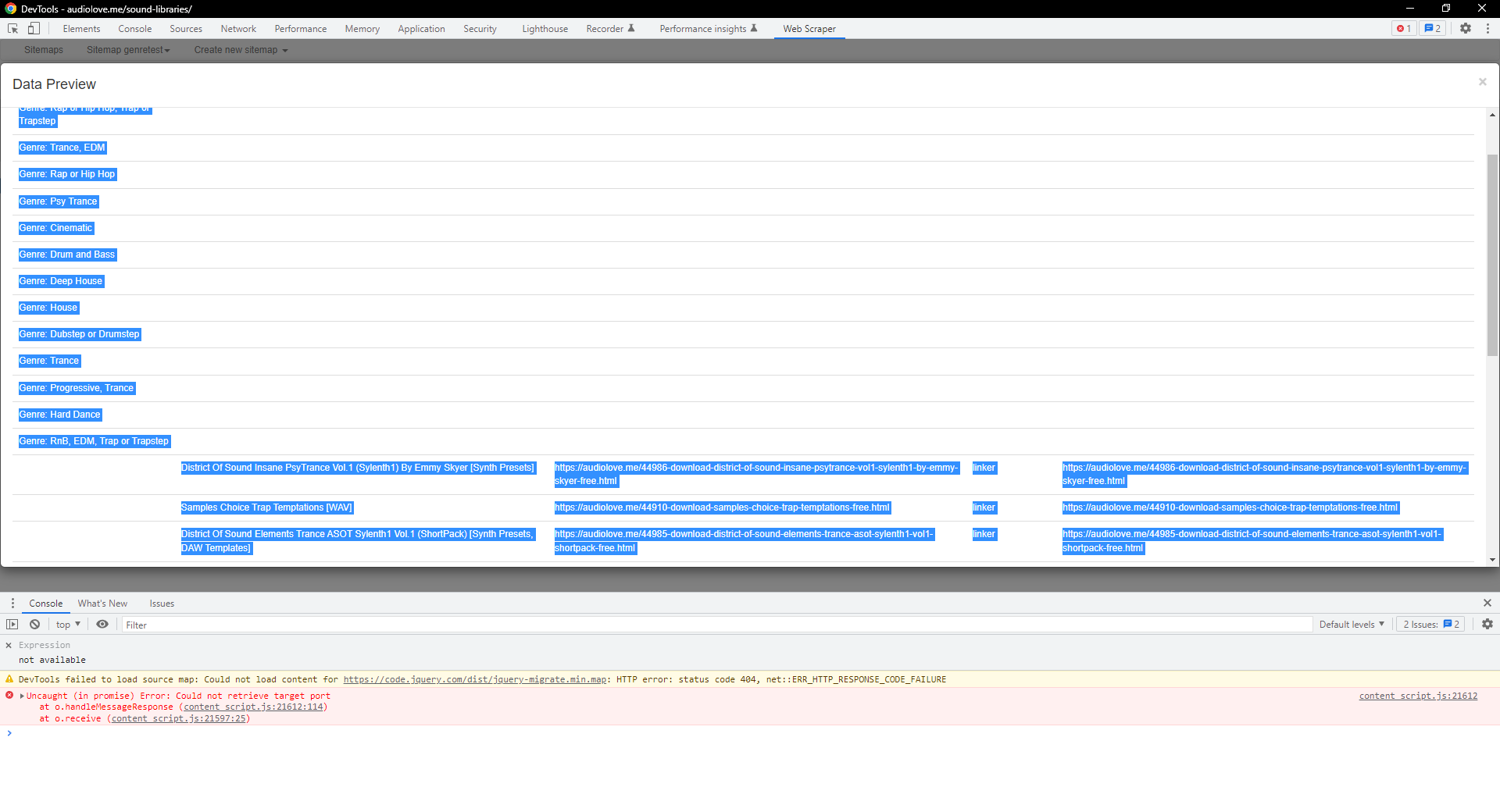
However i want for the Genre to be along side the Link. so that it is all in 1 result after the scrape
I have managed to do what i want but it is not collecting Each Genre, instead it is simply providing just 1 genre
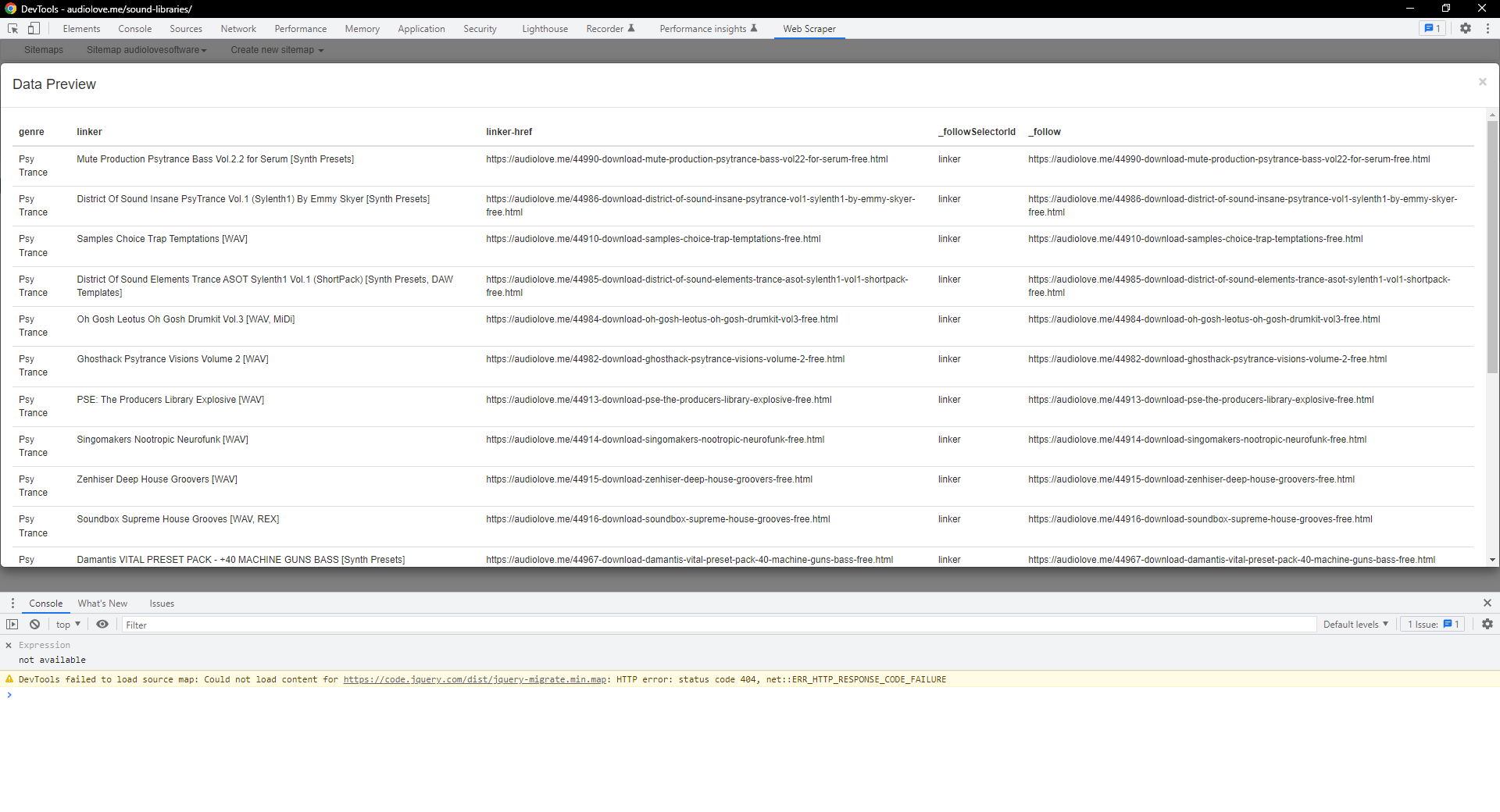
I would like for the data to be output as follows
Genre -> Click the link -> All the page details of the link
Genre -> Click the link -> All the page details of the link
Genre -> Click the link -> All the page details of the link
Genre -> Click the link -> All the page details of the link
Genre -> Click the link -> All the page details of the link
Genre -> Click the link -> All the page details of the link
and so on..
Thank you.