
ElementClick for Version History in Apple store

Hi all,

I’m new to Web Scraper and I'm currently trying to scrape version history information from the Apple app store (https://apps.apple.com/us/genre/ios-books/id6018). More specifically, I’m trying to scrape the release date of the last version of each app. I have already managed to build a working sitemap to scrape the ‘basic’ information (name, genre, size) from the different apps throughout the existing categories. These elements appeared as text on the page of the app (e.g. https://apps.apple.com/us/app/apple-books/id364709193). The version history, however, appears as a list inside an overlay pop-up container. I think I need to use an ElementClick selector for this, but am still quite lost as to what element to use for “Selector”.

I’m currently using this ElementClick selector: “Id:” “History”, “Type:” “Element click”, “Selector:” “li.version-history__item”, “Click selector:” “button#modal-trigger-ember212”, “Click type:” “Click once”, “Click element uniqueness:” “Unique text”, “Discard initial elements:” “Never discard”, “Delay (ms):” “0”, “Parent Selectors:” “App”.
The Parent Selector, “App”, is a Link Selector referring to the information page of the app (e.g. https://apps.apple.com/us/app/apple-books/id364709193)

As children to the “History” ElementClick selector, I have created two text selectors: “Id:” “Version”, “Type:” “Text”, “Selector:” “h4”, “Parent Selector:” “History” and “Id:” “Date”, “Type:” “Text”, “Selector:” “time”, “Parent Selector:” “History”.

The “Data Preview” button correctly returns this information and the “Element Preview” button works nicely as well. However, when scraping, the “Version” and “Date” columns are returned empty (“”).

Hence my question: what is wrong with the current ElementClick selector, and how can I get it to work?

Any help on this case is greatly appreciated!
Here is a working Element Click selector:

{"_id":"apple-temp","startUrl":["https://apps.apple.com/us/app/apple-books/id364709193"],"selectors":[{"id":"version-history-click","type":"SelectorElementClick","parentSelectors":["_root"],"selector":"body","multiple":true,"delay":2000,"clickElementSelector":".version-history >","clickType":"clickOnce","discardInitialElements":"discard-when-click-element-exists","clickElementUniquenessType":"uniqueCSSSelector"},{"id":"version-element","type":"SelectorElement","parentSelectors":["version-history-click"],"selector":"li.version-history__item","multiple":true,"delay":0},{"id":"version","type":"SelectorText","parentSelectors":["version-element"],"selector":"h4","multiple":false,"regex":"","delay":0},{"id":"date","type":"SelectorText","parentSelectors":["version-element"],"selector":"time","multiple":false,"regex":"","delay":0},{"id":"content","type":"SelectorText","parentSelectors":["version-element"],"selector":"div","multiple":false,"regex":"","delay":0}]}

These two text selectors will get latest release date and version, without clicking on Version history. They work in _root:

div[class$="whats-new__latest"] > div > time

div[class$="whats-new__latest"] > div > p[class$="whats-new__latest__version"]

I tried this selector and it worked flawlessly! Thank you so much for adding this solution, you helped me out a great deal.

Hi! I love this solution, although I am trying to achieve something slightly different.

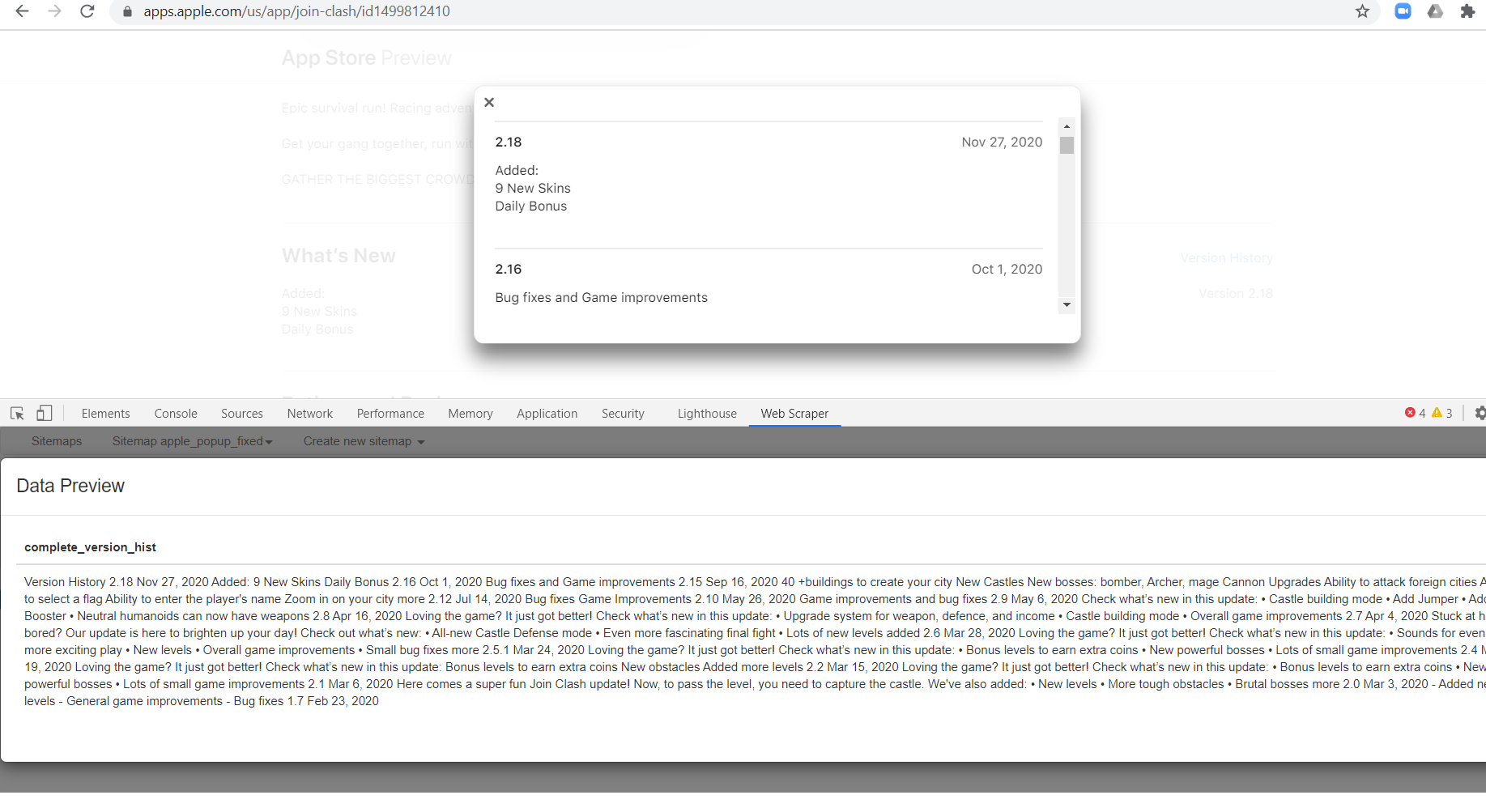
Instead of getting one row per version/release, I want all of them in the same row, so for each game in the App Store I get one entry with one long text. Something like this:

here is my sitemap, the problem is that when I run he preview in the first level (one after root) it doesn't return anything. I am using the Popup link by the way.

Here is the code with both, Webber solution and what I am trying to do:

{"_id":"apple_popup_fixed","startUrl":["https://apps.apple.com/us/app/join-clash/id1499812410"],"selectors":[{"id":"version-history-click","type":"SelectorElementClick","parentSelectors":["_root"],"selector":"body","multiple":true,"delay":2000,"clickElementSelector":".version-history >","clickType":"clickOnce","discardInitialElements":"discard-when-click-element-exists","clickElementUniquenessType":"uniqueCSSSelector"},{"id":"version-element","type":"SelectorElement","parentSelectors":["version-history-click"],"selector":"li.version-history__item","multiple":true,"delay":0},{"id":"version","type":"SelectorText","parentSelectors":["version-element"],"selector":"h4","multiple":false,"regex":"","delay":0},{"id":"date","type":"SelectorText","parentSelectors":["version-element"],"selector":"time","multiple":false,"regex":"","delay":0},{"id":"content","type":"SelectorText","parentSelectors":["version-element"],"selector":"div","multiple":false,"regex":"","delay":0},{"id":"version_popup_selector","type":"SelectorPopupLink","parentSelectors":["_root"],"selector":"button.we-modal__show","multiple":false,"delay":0},{"id":"complete_version_hist","type":"SelectorText","parentSelectors":["version_popup_selector"],"selector":"div.we-modal__content__wrapper","multiple":false,"regex":"","delay":0}]}

Thanks in advance,
Fernando