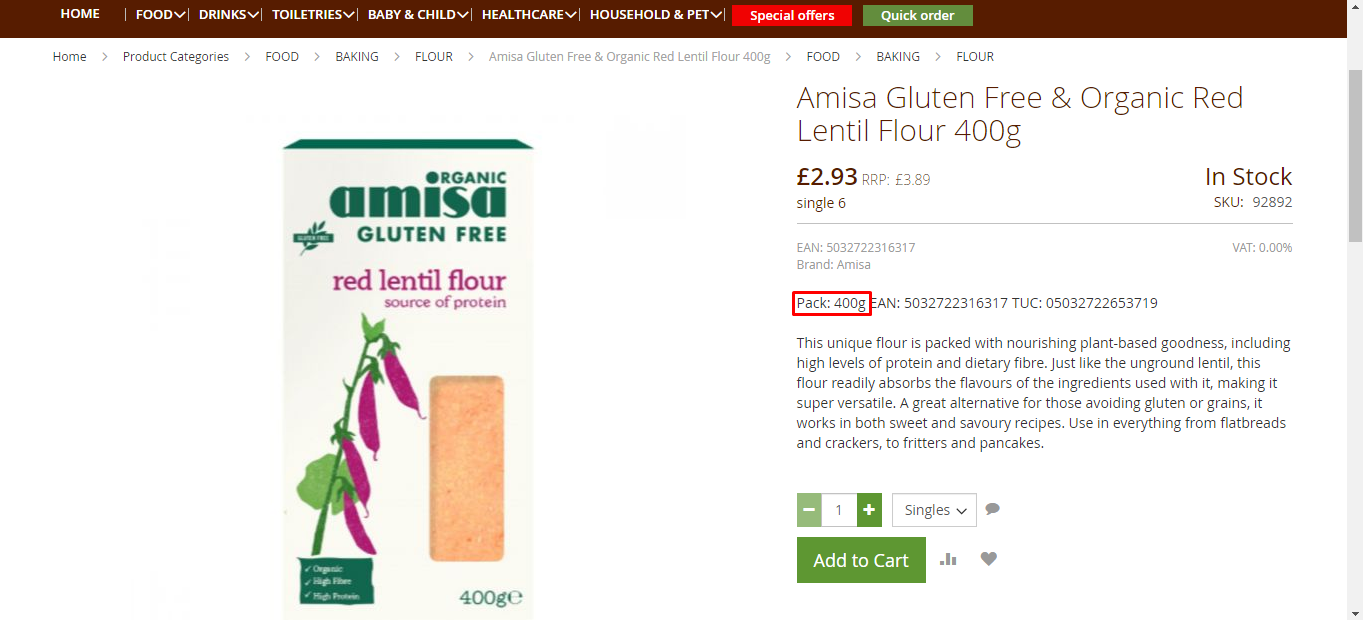
Element Click on option value, then collect data for each varient

I can not select the drop down of variants like cases/singles. After select that I need title, price etc. Prices are different for different variants.

Url: http://shop.treeoflife.co.uk

Sitemap:
{"_id":"food","startUrl":["https://shop.treeoflife.co.uk/food.html"],"selectors":[{"id":"sub-cat","parentSelectors":["_root"],"type":"SelectorLink","selector":".active .item a","multiple":true,"delay":0},{"id":"sub-sub","parentSelectors":["sub-cat"],"type":"SelectorLink","selector":".active .item a","multiple":true,"delay":0},{"id":"page","parentSelectors":["sub-sub","page"],"paginationType":"auto","selector":"div:nth-of-type(7) strong.page, div:nth-of-type(7) a.page","type":"SelectorPagination"},{"id":"product","parentSelectors":["sub-sub","page"],"type":"SelectorLink","selector":".product a.product-item-link","multiple":true,"delay":0}]}

@tanim5420 Hi, it does not appear like clicking through these variants would cause any noticeable difference, but that seems to be possible using an 'Element click' selector.

Example:

{"_id":"shop-treeoflife-co-uk","startUrl":["https://shop.treeoflife.co.uk/47-north-grade-a-very-dark-strong-organic-maple-syrup-1ltr-705653.html"],"selectors":[{"clickElementSelector":".product-view-actions select.form-control option","clickElementUniquenessType":"uniqueCSSSelector","clickType":"clickOnce","delay":1200,"discardInitialElements":"discard-when-click-element-exists","id":"wrapper-click","multiple":true,"parentSelectors":["_root"],"selector":"body","type":"SelectorElementClick"},{"delay":0,"id":"title","multiple":false,"parentSelectors":["wrapper-click"],"regex":"","selector":"span[itemprop='name']","type":"SelectorText"},{"delay":0,"id":"sku","multiple":false,"parentSelectors":["wrapper-click"],"regex":"","selector":"div[itemprop='sku']","type":"SelectorText"}]}

This is not the solution. With this showing same data.

@tanim5420 Could you, please, provide a product example that transforms any of these values after clicking on any other variant?

@ViestursWS
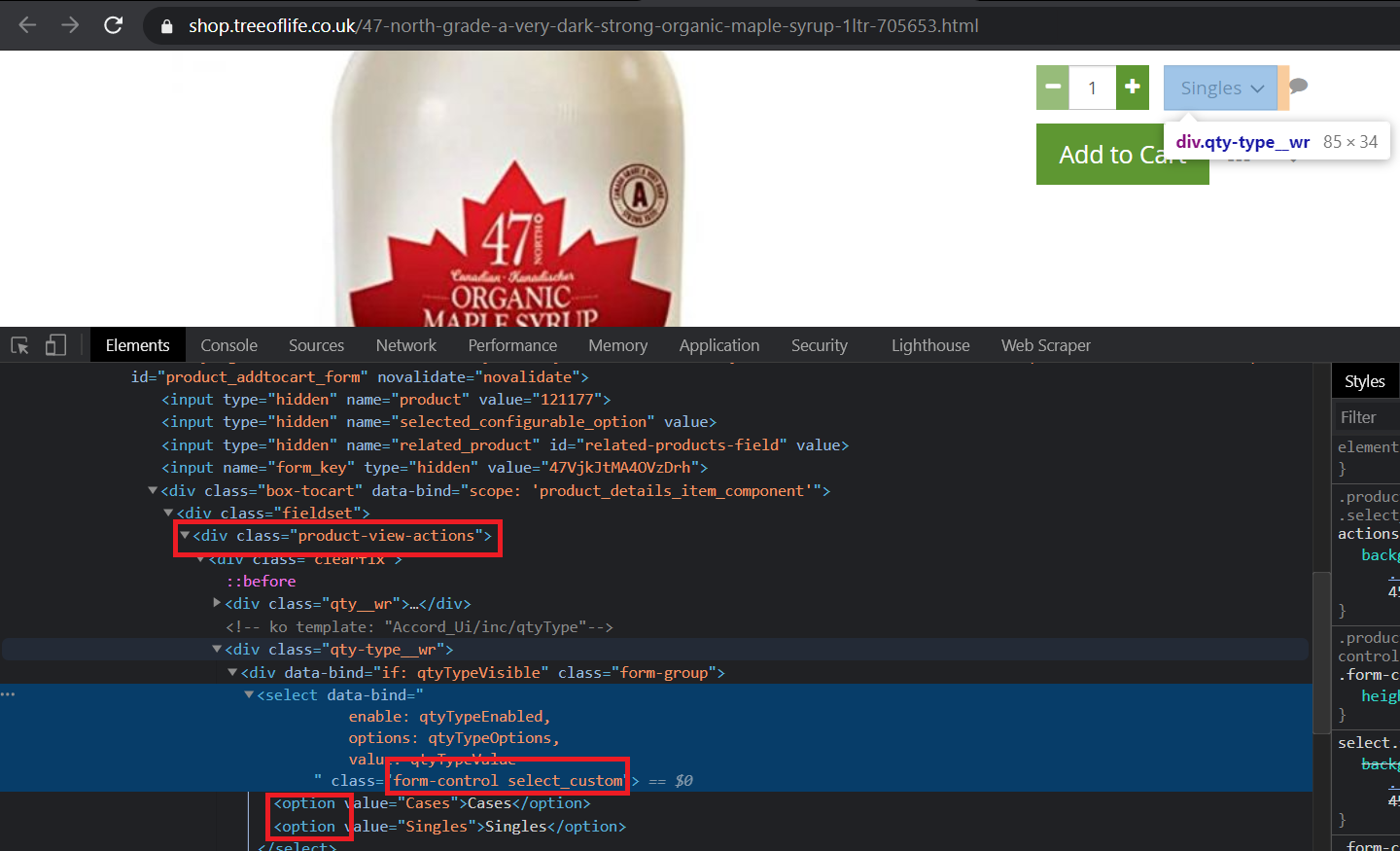
Thank you so much, man. It worked. But can you tell me one thing? Where you have found this selector ".product-view-actions select.form-control option"

@tanim5420 You have to inspect the code and manually create the selectors. Also, if you want to freeze the dropdown - go to the sources tab - press on the dropdown - press F8.

Learn more: CSS selector | Web Scraper Documentation

@ViestursWS
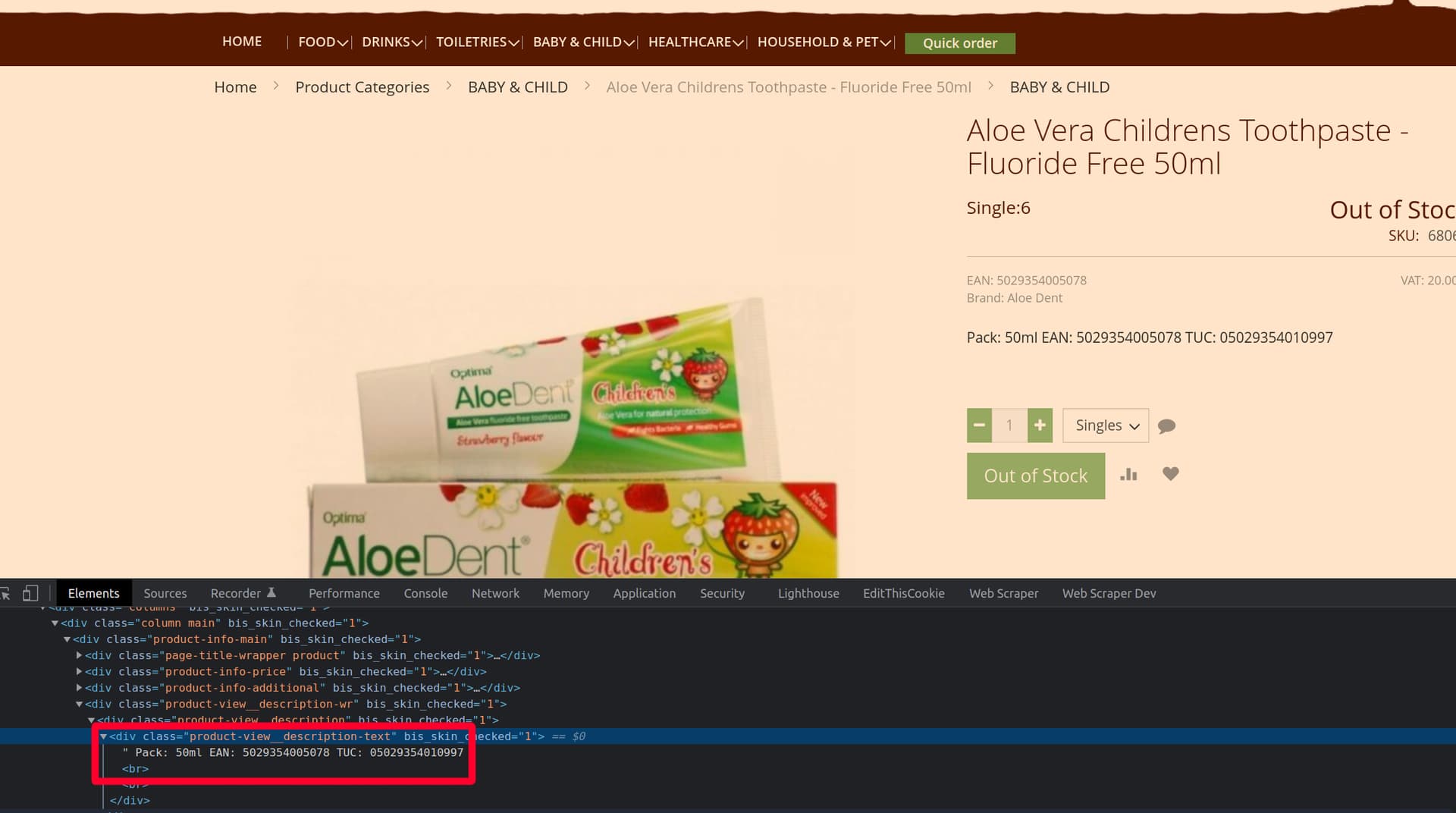
Please help me how can i collect only this data from the description.

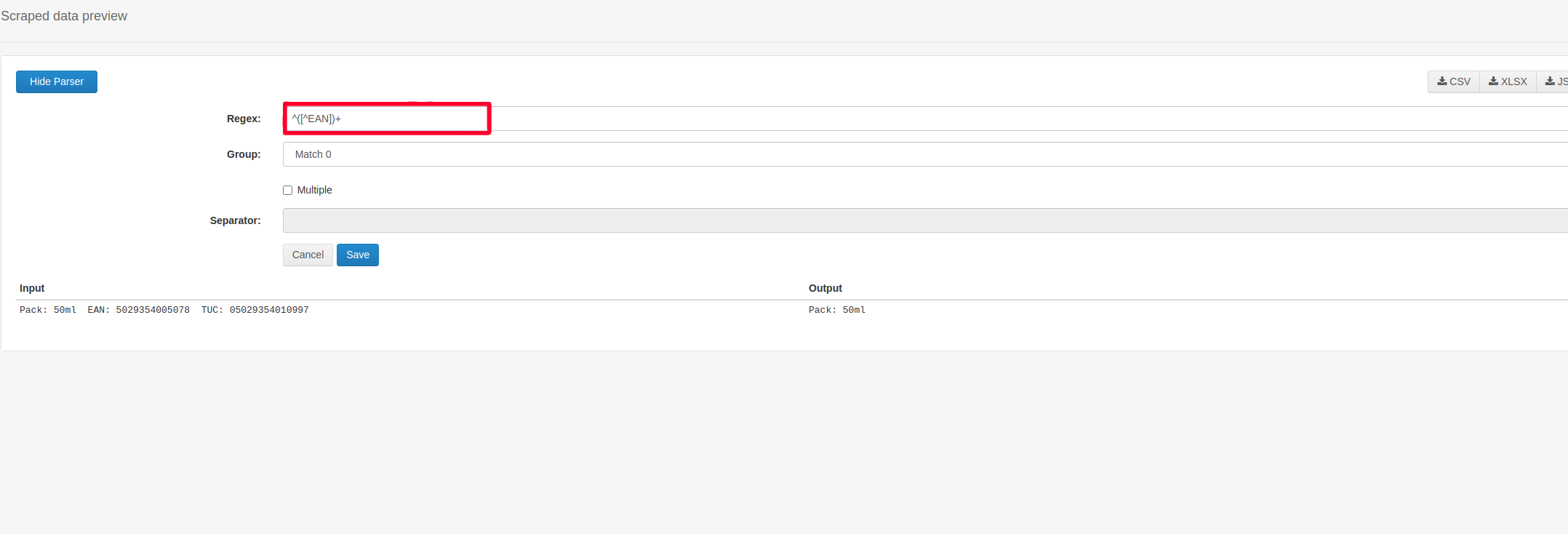
@tanim5420 Hi, it seems that this data is not divided by classes or id's, therefore you will have to apply some data post-processing which is possible to be done using the parser feature.

For example, by using the following regex - ^([^EAN])+


Learn more: Parser | Web Scraper Documentation

@ViestursWS
Can you just tell me how I can take the data after the text "Pack:"?

Suppose I need 3 data.

  1. Pack:
  2. EAN:
  3. TUC:

What will be the Regex to take the data after the specific data of 3 words? 3 separate regex

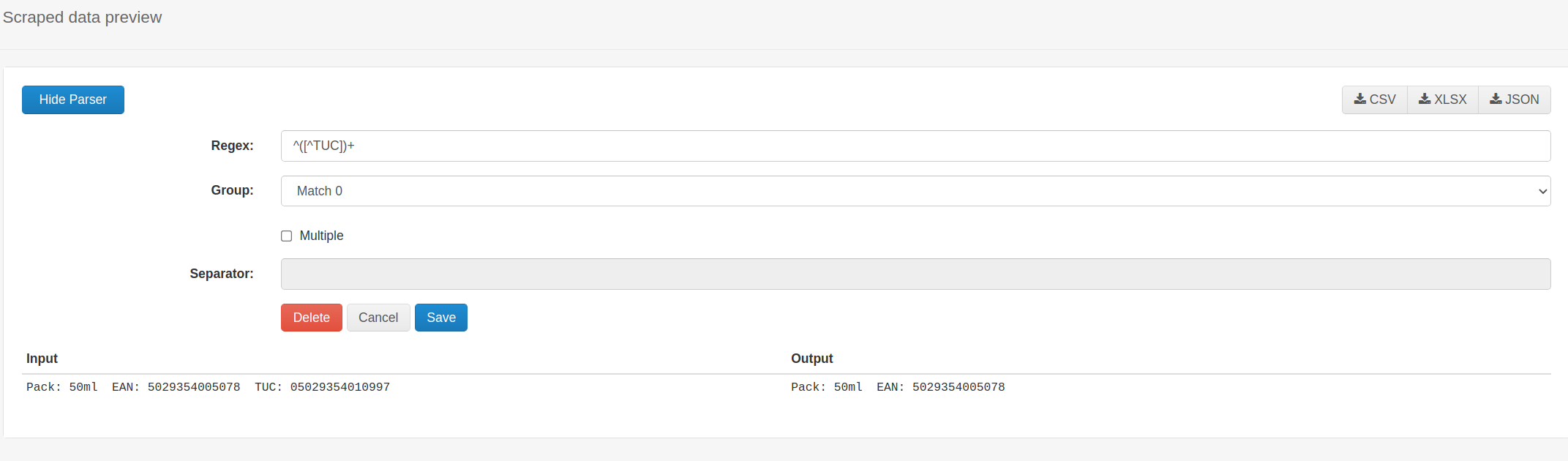
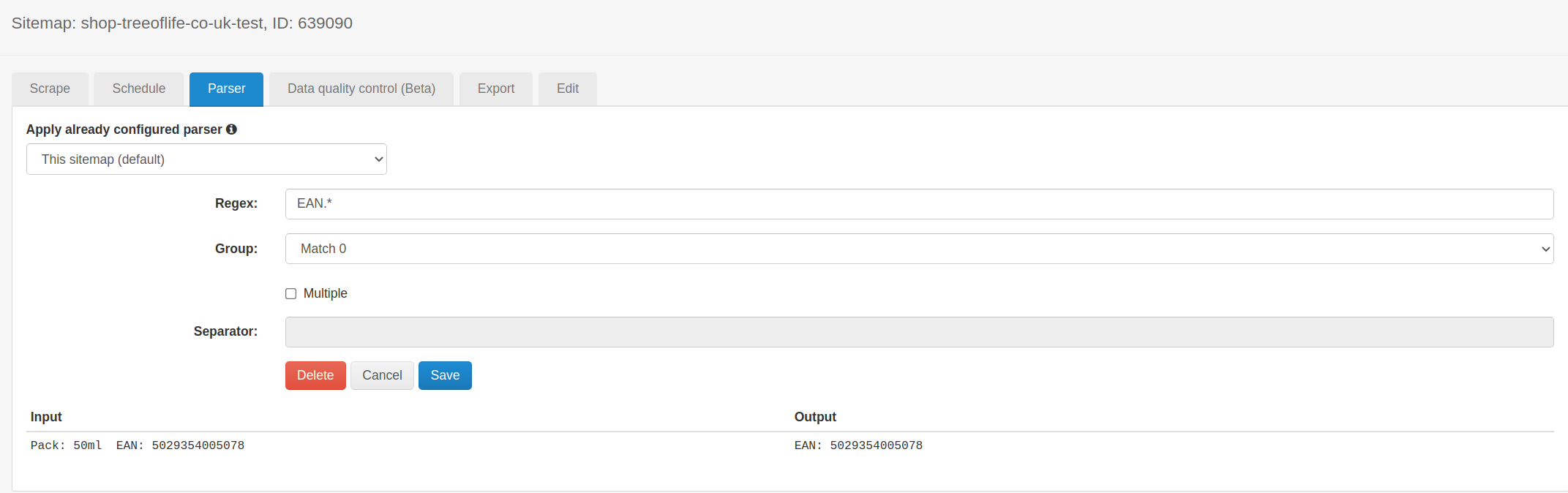
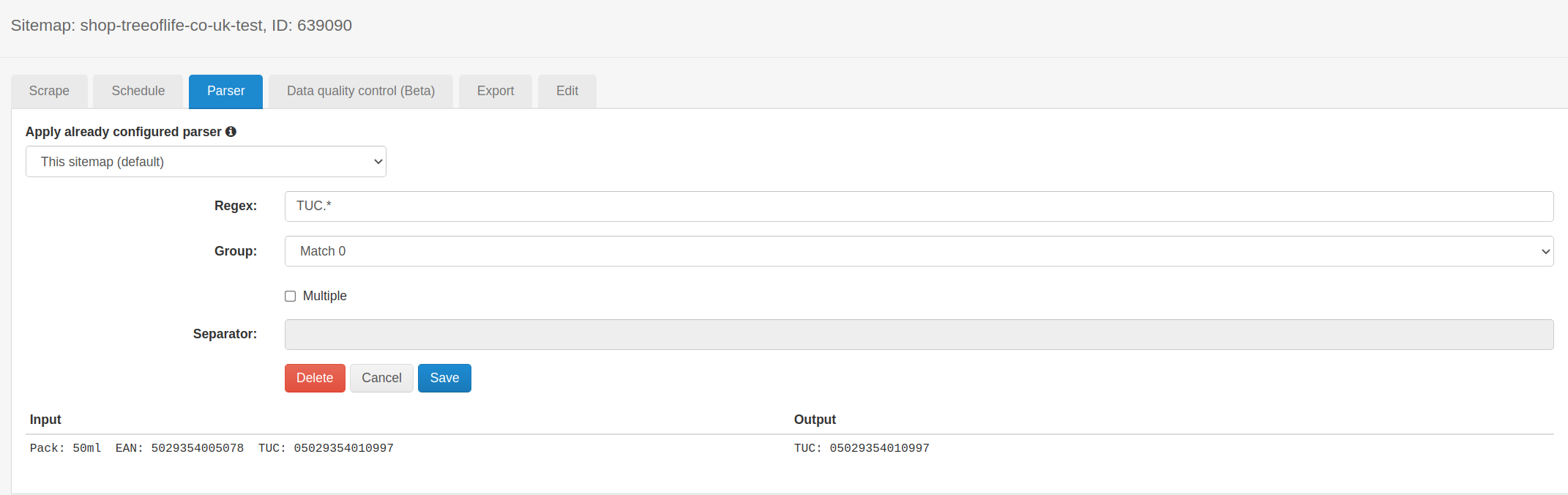
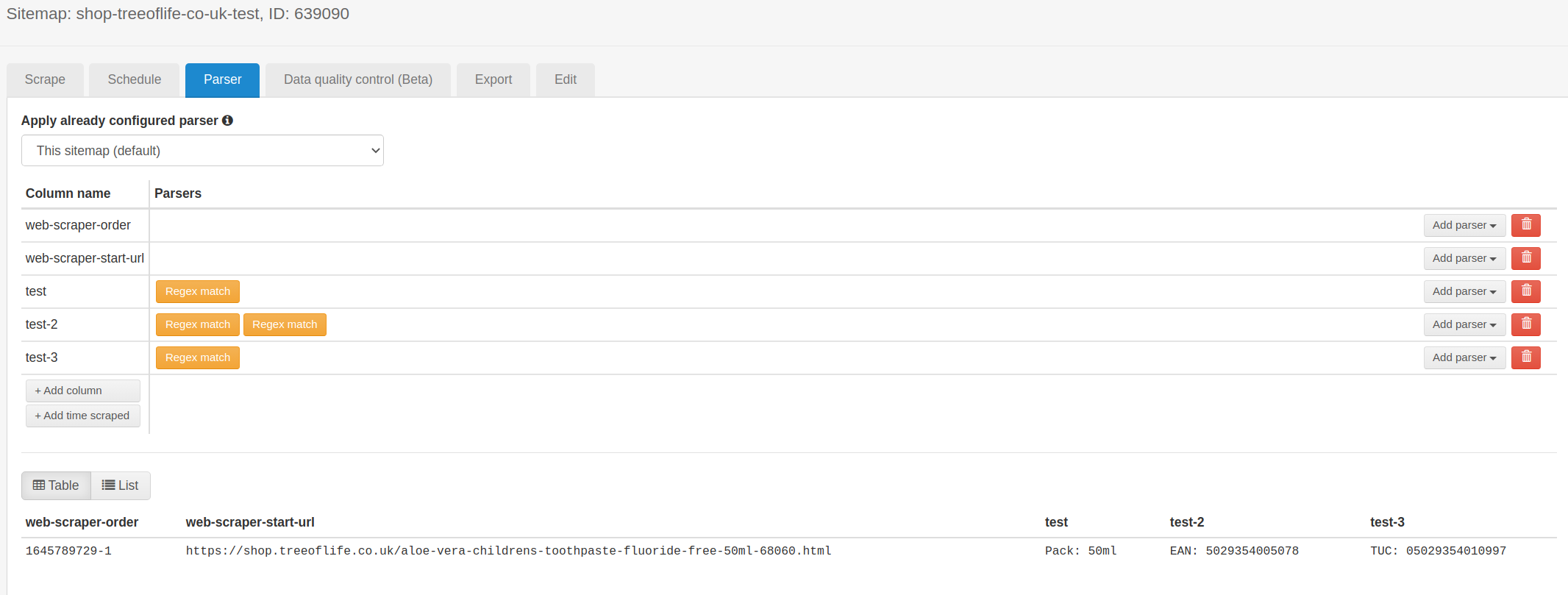
@tanim5420 Hi, you can apply additional regular expressions using the Web Scraper Cloud parser.

See the screenshots: