
Download multiple images from thumbnails

Hello everyone,

I'm new with Web Scraper, but I've been able to make it work a little bit.

Here is what I need help with with the Apple website

https://www.apple.com/xf/shop/product/MUF82AM/A/adaptateur-av-num%C3%A9rique-multiport-usb-c

Trying to get
Description : DONE
Price : DONE
Multiple images in the gallery : i'm not sure if I did it right because when I scrap it's giving me all this in 4 row instead of columns I would prefer to get the image in columns ....also could someone let me know if I got it right?
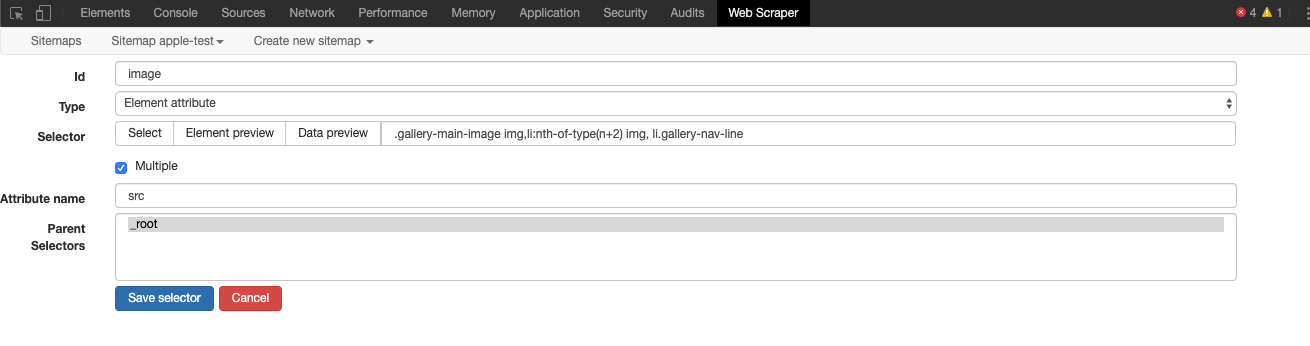
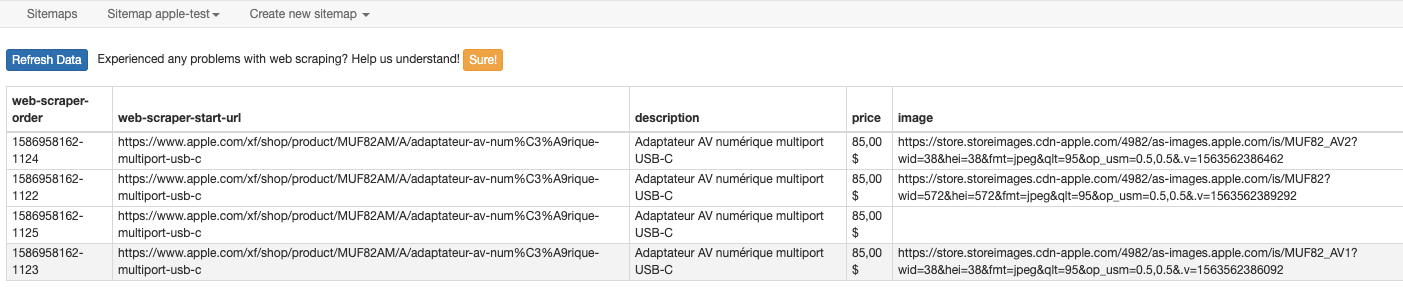
My Export Sitemap is this

{"_id":"apple-test","startUrl":["https://www.apple.com/xf/shop/product/MUF82AM/A/adaptateur-av-numérique-multiport-usb-c"],"selectors":[{"id":"description","type":"SelectorText","parentSelectors":["_root"],"selector":"h1","multiple":false,"regex":"","delay":0},{"id":"price","type":"SelectorText","parentSelectors":["_root"],"selector":".current_price span","multiple":false,"regex":"","delay":0},{"id":"image","type":"SelectorElementAttribute","parentSelectors":["_root"],"selector":".gallery-main-image img,li:nth-of-type(n+2) img, li.gallery-nav-line","multiple":true,"extractAttribute":"src","delay":0}]}

I've been trying for hours to make it work and i'm failling, what is the best technique with gallery popup like this? should I consider the image a link and then get all the images one by one?

Let me know this would really help me solve this and understand better. That would be nice a tutorial on multiples images gallery like this.

Thank you in advance for your help :slight_smile:

Oh!!!!!!! I think I just responded to my own question.. I did 3 single selectors instead one with multiples and now all the image are in columns

{"_id":"apple-test","startUrl":["https://www.apple.com/xf/shop/product/MUF82AM/A/adaptateur-av-numérique-multiport-usb-c"],"selectors":[{"id":"description","type":"SelectorText","parentSelectors":["_root"],"selector":"h1","multiple":false,"regex":"","delay":0},{"id":"price","type":"SelectorText","parentSelectors":["_root"],"selector":".current_price span","multiple":false,"regex":"","delay":0},{"id":"image","type":"SelectorElementAttribute","parentSelectors":["_root"],"selector":".gallery-main-image img","multiple":false,"extractAttribute":"src","delay":0},{"id":"images2","type":"SelectorImage","parentSelectors":["_root"],"selector":"li:nth-of-type(n+2) img","multiple":false,"delay":0},{"id":"images3","type":"SelectorElementAttribute","parentSelectors":["_root"],"selector":"#thumbnail-2 img","multiple":false,"extractAttribute":"src","delay":0}]}

Technicaly I think it's good ..A very nice tutorials with more in deep explanation would be good instead of taking 5 hours to make it work like I did :wink:

I'm not sure if I still did it right.. because image gallery have a popup windows so technically you need the click and get them individually.

Let me know if I did it right.

You have the right idea, although would recommend using these selectors to get the full-size images, as there are multiple sizes vaialable:

{"_id":"apple-test","startUrl":["https://www.apple.com/xf/shop/product/MUF82AM/A/adaptateur-av-numérique-multiport-usb-c"],"selectors":[{"id":"description","type":"SelectorText","parentSelectors":["_root"],"selector":"h1","multiple":false,"regex":"","delay":0},{"id":"price","type":"SelectorText","parentSelectors":["_root"],"selector":".current_price span","multiple":false,"regex":"","delay":0},{"id":"image","type":"SelectorElementAttribute","parentSelectors":["_root"],"selector":"#thumbnail-0","multiple":false,"extractAttribute":"href","delay":0},{"id":"images2","type":"SelectorElementAttribute","parentSelectors":["_root"],"selector":"#thumbnail-1","multiple":false,"extractAttribute":"href","delay":0},{"id":"images3","type":"SelectorElementAttribute","parentSelectors":["_root"],"selector":"#thumbnail-2","multiple":false,"extractAttribute":"href","delay":0}]}
