
Dealing with looping pages

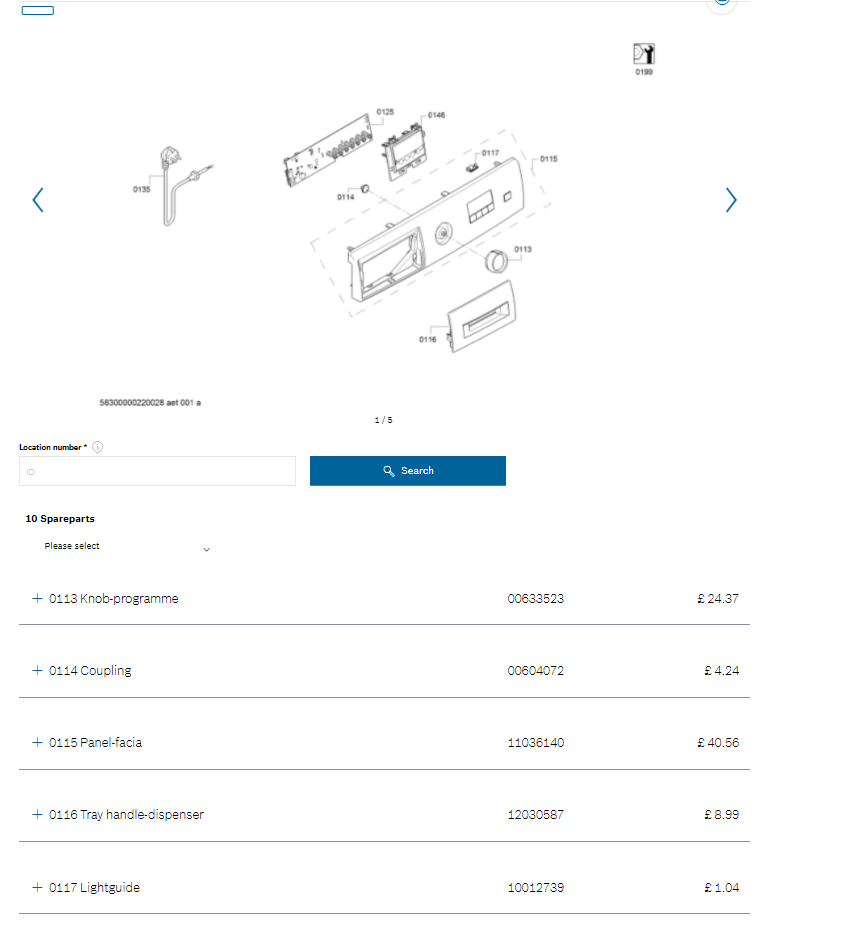
Hi, I was trying to scrape the spare parts of this product. There are multiple pages of spare parts and you can browse them clicking the arrow buttons next to the image down below.

The issue is, at the final page, the next button is still functional and will get you to first page. So, using simple element click selector will make the pagination infinite, looping all the time. For reference, I put the sitemap that will show this looping issue.

How can i deal with this type of pagination?

Thanks in advance!

Url: Online help, spare parts and accessories | Bosch UK

Sitemap:
{"_id":"scraper_infinite_pages","startUrl":["Online help, spare parts and accessories | Bosch UK button.next","clickElementUniquenessType":"uniqueCSSSelector","clickType":"clickMore","delay":2000,"discardInitialElements":"do-not-discard","multiple":true,"selector":".item"},{"id":"part_reference","parentSelectors":["pagination"],"type":"SelectorText","selector":"span.id","multiple":false,"delay":0,"regex":""},{"id":"part_name","parentSelectors":["pagination"],"type":"SelectorText","selector":"span.name","multiple":false,"delay":0,"regex":""},{"id":"part_id","parentSelectors":["pagination"],"type":"SelectorText","selector":"span.prodnr","multiple":false,"delay":0,"regex":""},{"id":"part_price","parentSelectors":["pagination"],"type":"SelectorText","selector":"span.price","multiple":false,"delay":0,"regex":""}]}
@scraper4 Hi. The click selector seem to be redundant here as all of the image links are natively embedded into HTML. Elment attribute selector should work.

Sitemap example:

{"_id":"bosch-home","startUrl":["https://www.bosch-home.co.uk/supportdetail/product/WAJ28008GB/01#/Tabs=section-spareparts/"],"selectors":[{"delay":0,"extractAttribute":"srcset","id":"image-1","multiple":false,"parentSelectors":["body"],"selector":"div[data-slick-index=\"1\"]:not(.slick-cloned) picture source[media=\"(min-width: 900px)\"]","type":"SelectorElementAttribute"},{"delay":0,"extractAttribute":"srcset","id":"image-2","multiple":false,"parentSelectors":["body"],"selector":"div[data-slick-index=\"2\"]:not(.slick-cloned) picture source[media=\"(min-width: 900px)\"]","type":"SelectorElementAttribute"},{"delay":0,"id":"body","multiple":true,"parentSelectors":["_root"],"selector":"body","type":"SelectorElement"},{"delay":0,"extractAttribute":"srcset","id":"image-3","multiple":false,"parentSelectors":["body"],"selector":"div[data-slick-index=\"3\"]:not(.slick-cloned) picture source[media=\"(min-width: 900px)\"]","type":"SelectorElementAttribute"},{"delay":0,"extractAttribute":"srcset","id":"image-4","multiple":false,"parentSelectors":["body"],"selector":"div[data-slick-index=\"4\"]:not(.slick-cloned) picture source[media=\"(min-width: 900px)\"]","type":"SelectorElementAttribute"},{"delay":0,"extractAttribute":"srcset","id":"image-5","multiple":false,"parentSelectors":["body"],"selector":"div[data-slick-index=\"5\"] picture source[media=\"(min-width: 900px)\"]","type":"SelectorElementAttribute"}]}

Hope it helps.

@ViestursWS Hi, thanks for the response

Sorry for the confusion, but I was trying to scrape the spare part names, prices etc. down below the web page, not the images itself. I tried the same method that you used for the images but unfortunately I couldn't come up with a solution myself. If possible, can you take a look at it?

Again, thanks in advance.

@scraper4

Hi, can you take a screenshot of where this 'pagination' can be found?

As there's only a 'sort-by' drop-down below the image.

To extract the spare-part details you could use the following sitemap:

{"_id":"bosch-home-co-uk","startUrl":["https://www.bosch-home.co.uk/supportdetail/product/WAJ28008GB/01#/Tabs=section-spareparts/"],"selectors":[{"id":"wrapper","parentSelectors":["_root"],"type":"SelectorElement","selector":"div.item","multiple":true,"delay":0},{"id":"name","parentSelectors":["wrapper"],"type":"SelectorText","selector":"span.name","multiple":false,"delay":0,"regex":""},{"id":"sku","parentSelectors":["wrapper"],"type":"SelectorText","selector":"span.prodnr","multiple":false,"delay":0,"regex":""},{"id":"price","parentSelectors":["wrapper"],"type":"SelectorText","selector":"span.price","multiple":false,"delay":0,"regex":""}]}
@ViestursWS Hi,

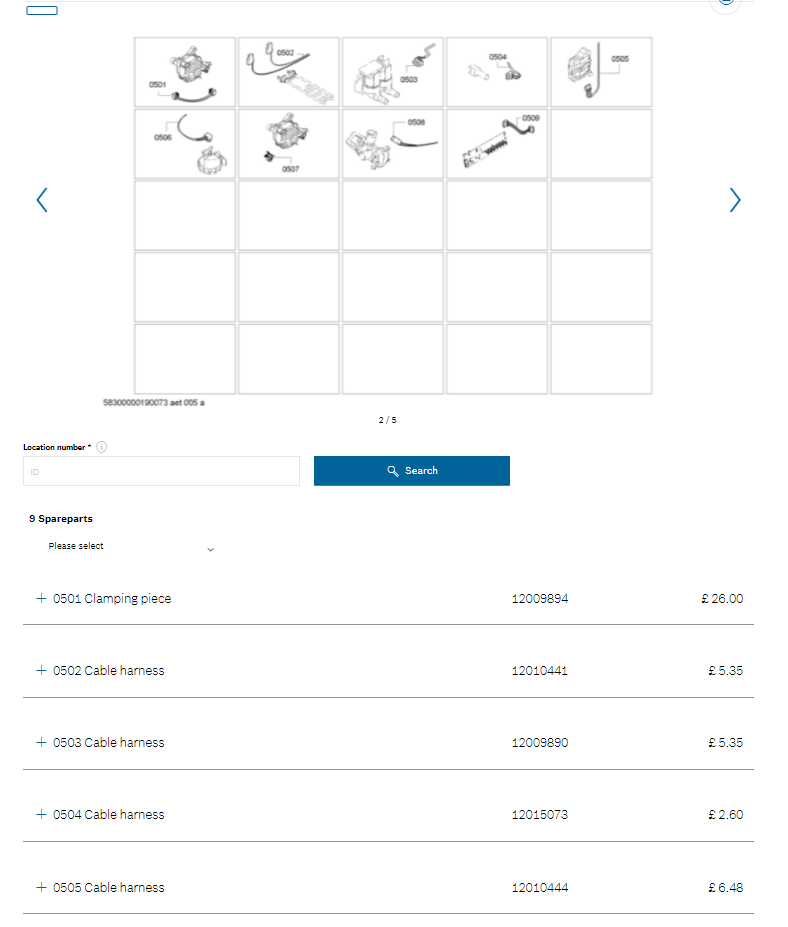
When you click on the arrow buttons next to the image, listings down below also changes.

As you can see, there are 10 items listed at the first page (The bold text shows how many spare parts are listed)

at the second page, these items change and there are 9 different items listed.

For example, at the first page the first item is named Knob-programme. At the second page the first item is named Clamping piece.

The same happens with the other pages, 3-4-5.

Hope this will help explain the issue.

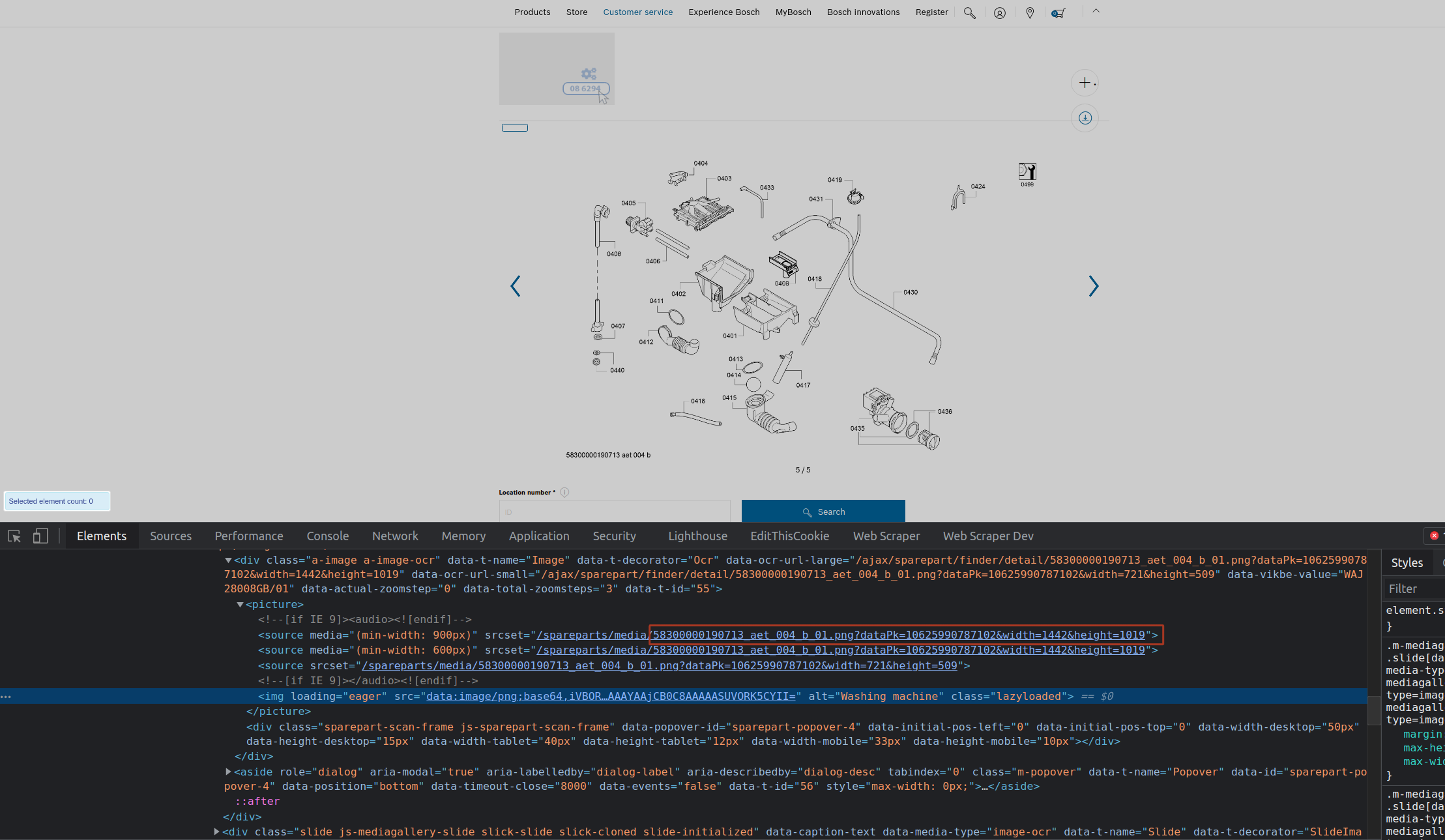
@scraper4 If that is the case, you will have to limit the click selector till it discovers the last image and uses its identifier(unique attribute) as a limiter.

For example: html:has(.js-mediagallery-mainslider .slick-current:not(:has([srcset*="58300000190713_aet_004_b_01"]))) .js-mediagallery-mainslider button.next

Sitemap example:

{"_id":"bosch-home-co-uk","startUrl":["https://www.bosch-home.co.uk/supportdetail/product/WAJ28008GB/01#/Tabs=section-spareparts/"],"selectors":[{"delay":0,"id":"wrapper","multiple":true,"parentSelectors":["pagination"],"selector":"div.item","type":"SelectorElement"},{"delay":0,"id":"name","multiple":false,"parentSelectors":["wrapper"],"regex":"","selector":"span.name","type":"SelectorText"},{"delay":0,"id":"sku","multiple":false,"parentSelectors":["wrapper"],"regex":"","selector":"span.prodnr","type":"SelectorText"},{"delay":0,"id":"price","multiple":false,"parentSelectors":["wrapper"],"regex":"","selector":"span.price","type":"SelectorText"},{"clickElementSelector":"html:has(.js-mediagallery-mainslider .slick-current:not(:has([srcset*=\"58300000190713_aet_004_b_01\"]))) .js-mediagallery-mainslider button.next","clickElementUniquenessType":"uniqueCSSSelector","clickType":"clickMore","delay":2000,"discardInitialElements":"do-not-discard","id":"pagination","multiple":true,"parentSelectors":["_root"],"selector":"html","type":"SelectorElementClick"}]}

Hope it helps.