Web Scraper version: 1.87.6
Chrome version: Version 131.0.6778.86
OS: Windows 11
Link to the site you were scraping: Directorio Hospital Angeles Health System
Sitemap (Please make the sitemap as minimal as possible so it’s easier to replicate the bug. You can export the sitemap by opening it and choosing “Export Sitemap” in the dropdown menu):
{"_id":"angeles","startUrl":["https://hospitalangeles.com/directorio/medicos"],"selectors":[{"id":"carta","parentSelectors":["cuerpo"],"type":"SelectorElement","selector":".blog-card-content","multiple":true},{"id":"nombre","parentSelectors":["carta"],"type":"SelectorText","selector":"h6","multiple":false,"regex":""},{"id":"especialidad","parentSelectors":["carta"],"type":"SelectorText","selector":"div.especialidad","multiple":false,"regex":""},{"id":"cuerpo","parentSelectors":["_root"],"type":"SelectorElement","selector":"body","multiple":false}],"websiteStateSetup":{"enabled":true,"performWhenNotFoundSelector":"#doctors-cards:not(:contains('Busca a tu médico especialista'))","actions":[{"selector":"input.form-control","type":"textInput","value":"nutriólogo"},{"selector":"button.flex-shrink-0","type":"click"}]}}
Explanation:
I need to search for "nutriólogo" on this site: Directorio Hospital Angeles Health System
Writing is ok and data is colected as you can see here:
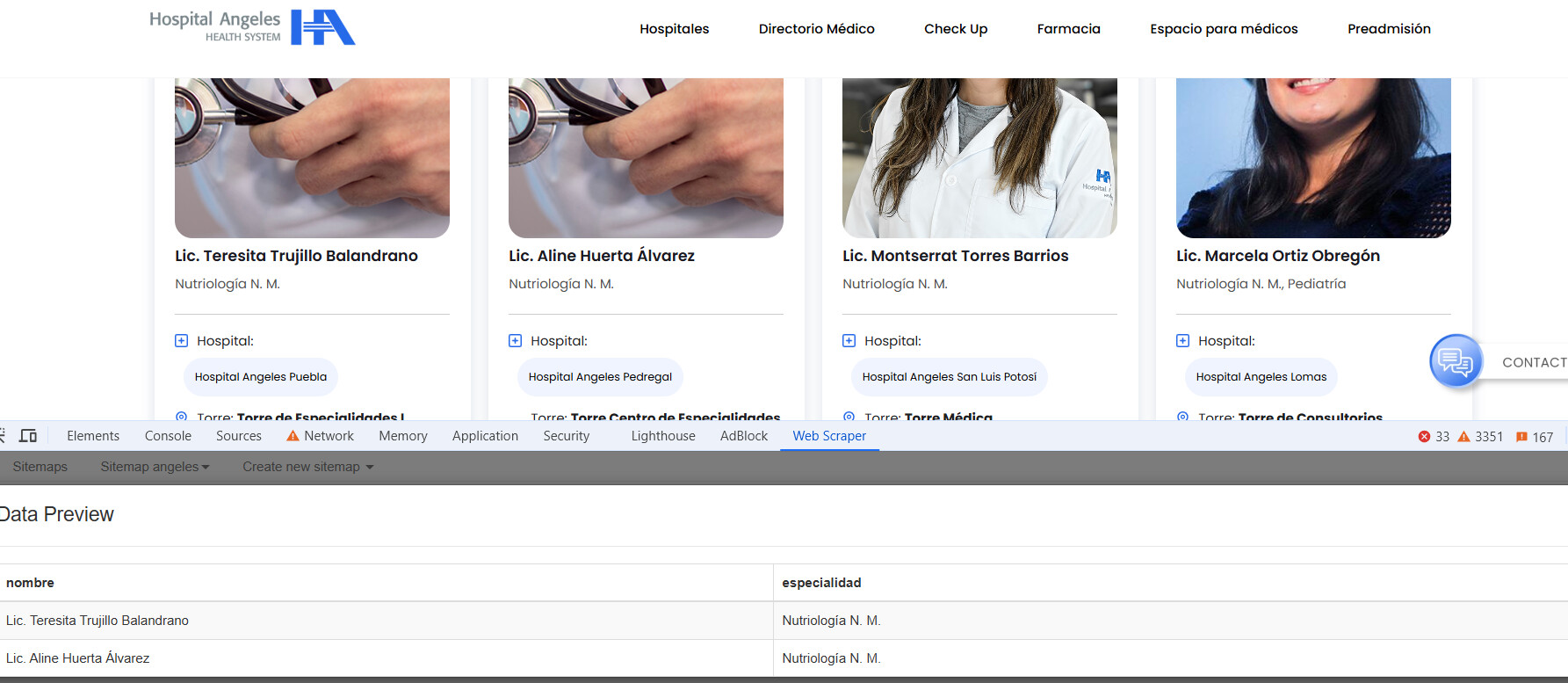
But when I run the scraper I can't obtain that info after the "Website state setup" runs.
I don't know what else try because thgat page needs that the user types something there and then pick the search button, I can't do it with a paged link.