Case Study - Scrapping data without URL changing

University of New South Wales :-
Starting URL :- http://indicativefees.unsw.edu.au/
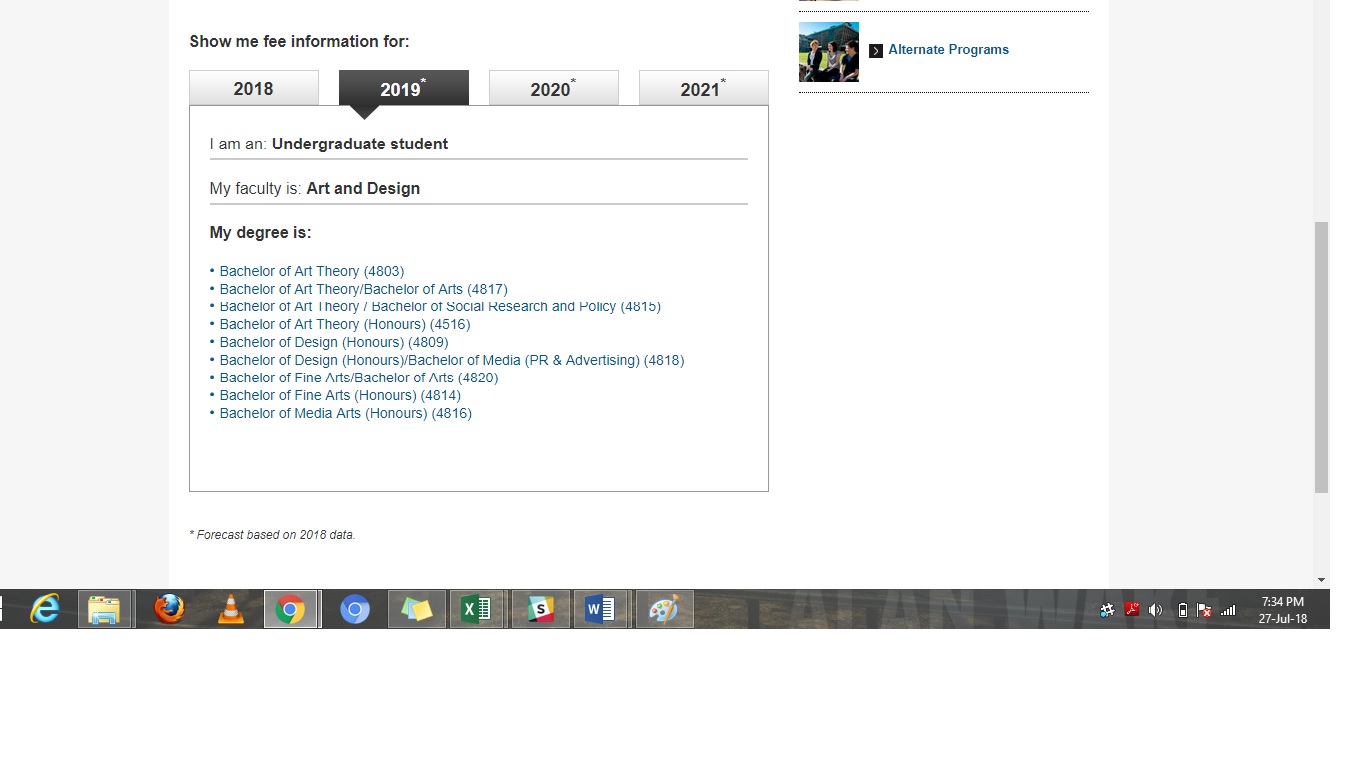
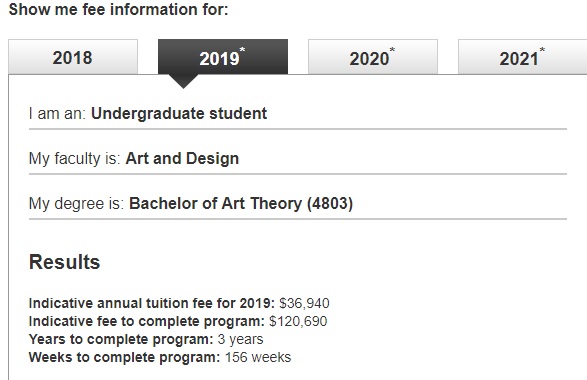
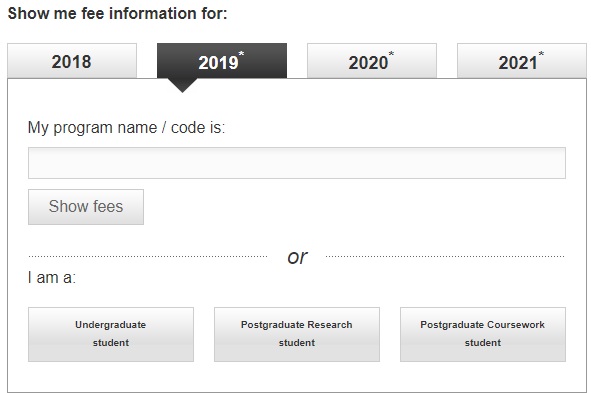
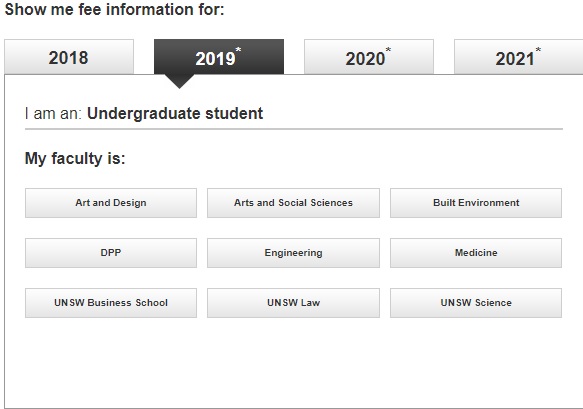
I want to Scrape the “Indicative annual tuition fee for 2019” for all courses listed under the Faculty for the year 2019. Please find below screenshots step wise for better understanding that I am looking for. The challenge is that each selection is done without a change in the URL. I would like to understand how to create a scrapping tree for a situation like this.
nswnsw-1

nsw-3

You need to do some analysis of their URL patterns or APIs. (Play around with Chrome or Firefox developer tools or F12. Look under "Network" tab for clues.)

In this case, fortunately, you may discover that they have a simple, systematic, alternative URL pattern. This is an alternative page, using HTTP GET method, that should be accessible to Webscraper.io, and lead you to all the data you are looking for:

http://indicativefees.unsw.edu.au/2018/2019/undergraduate/

(This Website has a clean design. If fact, if you hover over the "buttons", you would see the links in the bottom status bar. Right-clicking on the "button", then "Open in a new tab", would lead you to the updated or "changing" URLs.)

There may be another way using only Webscraper. But the above method could be a shortcut.

It's looking a little different on my side. Looks like an iframe type setup. You should be able to use the link selector to crawl through each link.