
Cannot Get Email Address - Script?

I am trying to scrape data from this website ukparks.com

Here is small sitemap with just four page:
{"_id":"test1","startUrl":["https://www.ukparks.com/park/4seasons/","https://www.ukparks.com/park/4shores/","https://www.ukparks.com/park/abbey-farm/","https://www.ukparks.com/park/abbeyfarmcaravanpark/"],"selectors":[]}

I can get the business name, address, phone number all okay but it won't scrape the email address

I have added a selector and the data preview shows the data I need BUT when I run a scrape the data isnt there.

Looking at the HTML code it looks like a script is run that inserts the email address into the element

Any ideas as to how I can set this up ?

TIA
David
@supahoopsa Hi, you will have to add an additional 'element click' selector that will target the 'email' reveal button and set an 'Element attribute'(targeting the href attribute) selector as a child to it.

Example:

{"_id":"test1","startUrl":["https://www.ukparks.com/park/4seasons/","https://www.ukparks.com/park/4shores/","https://www.ukparks.com/park/abbey-farm/","https://www.ukparks.com/park/abbeyfarmcaravanpark/"],"selectors":[{"delay":0,"extractAttribute":"href","id":"e-mail","multiple":false,"parentSelectors":["e-mail-click"],"selector":"a:contains(\"Click here to email\")","type":"SelectorElementAttribute"},{"clickElementSelector":"a:contains(\"Click here to email\")","clickElementUniquenessType":"uniqueCSSSelector","clickType":"clickOnce","delay":2000,"discardInitialElements":"discard-when-click-element-exists","id":"e-mail-click","multiple":true,"parentSelectors":["_root"],"selector":"body","type":"SelectorElementClick"}]}

Thanks @ViestursWS

That worked but opened two Outllook Mail windows for each page I scraped.
I have 2000+ pages on my scrape list and it just slowed down and died due to PC resources I assume

Any way we can do this without opening all of the Outlook windows ?

Thanks
David

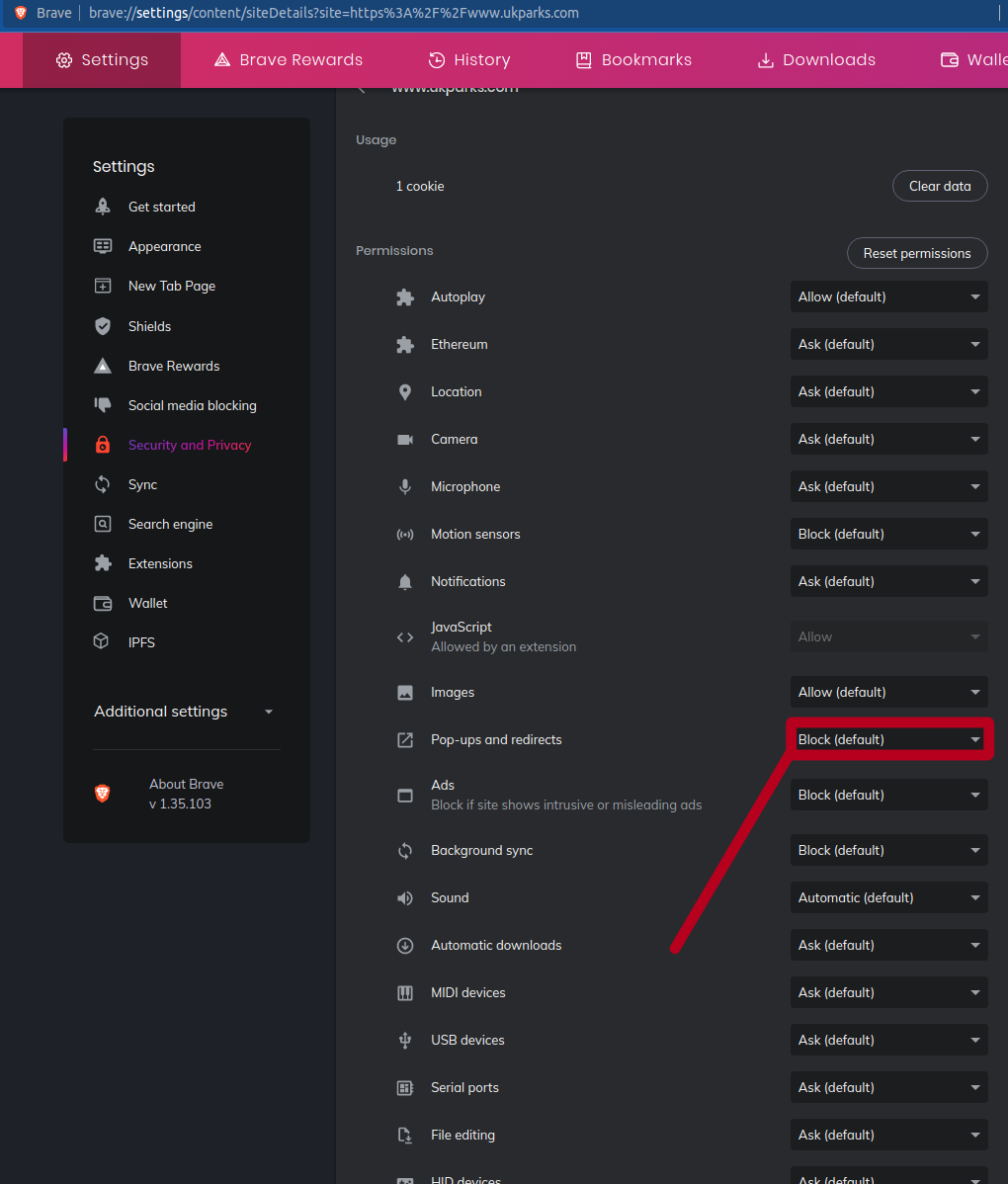
@supahoopsa Hi, try to block any permissions that would cause any pop-ups or redirects.

@ViestursWS Thanks again

I already had that pops and redirects turned off
I tried adding specifically for this website and it still didnt work :crazy_face:

I then wondered if it was because I had Outlook set to default email app within Windows 10 Settings

I changed that to Chrome and tired the scrape and it worked perfectly :grinning:

Thanks for your assistance