Beginner having problems with empty column header and importing to cloud

Newbie here, new to webscraper and json. I'm trying to scrape a table from a website, the table is formatted as follows:

              1 w	  1 mo	  3 mo	  6 mo	 12 mo
  Jul 5th	-0,567	-0,460	-0,145	+0,234	+0,939

By default, the sitemap leaves out the date column as it has no header. I added the following row:
{"extract":true,"header":"","name":"date"} to the exported json, after which the sitemap seems to work as expected when clicking "scrape" within the extension. However, when trying to import the sitemap into cloud, I get an error message "Sitemap has an invalid selector". The problem disappears if I assign any other value than empty string to the header. Is this expected behavior, and how could this be fixed?

Thanks!
@miimamo Hello, that most likely happens due to some special character that does not pass the Cloud Scraper validation rules. Could you, please, provide the sitemap in JSON format?

Here's the json with id and url hidden. As I said, the cloud accepts the json as soon as a value is assigned to the first header, so I reckon the problem is in handling of empty strings?

{
	"_id": "*******",
	"startUrl": ["*************"],
	"selectors": [{
		"id": "rates",
		"parentSelectors": ["_root"],
		"type": "SelectorTable",
		"delay": 0,
		"multiple": true,
		"selector": "table.tstyle1",
		"tableDataRowSelector": "tbody tr",
		"tableHeaderRowSelector": "thead tr:nth-of-type(2)",
		"columns": [{
			"extract": true,
			"header": "",
			"name": "date"
		}, {
			"extract": true,
			"header": "1w",
			"name": "1week"
		}, {
			"extract": true,
			"header": "1mo",
			"name": "1month"
		}, {
			"extract": true,
			"header": "3mo",
			"name": "3month"
		}, {
			"extract": true,
			"header": "6mo",
			"name": "6month"
		}, {
			"extract": true,
			"header": "1y",
			"name": "1year"
		}]
	}]
}

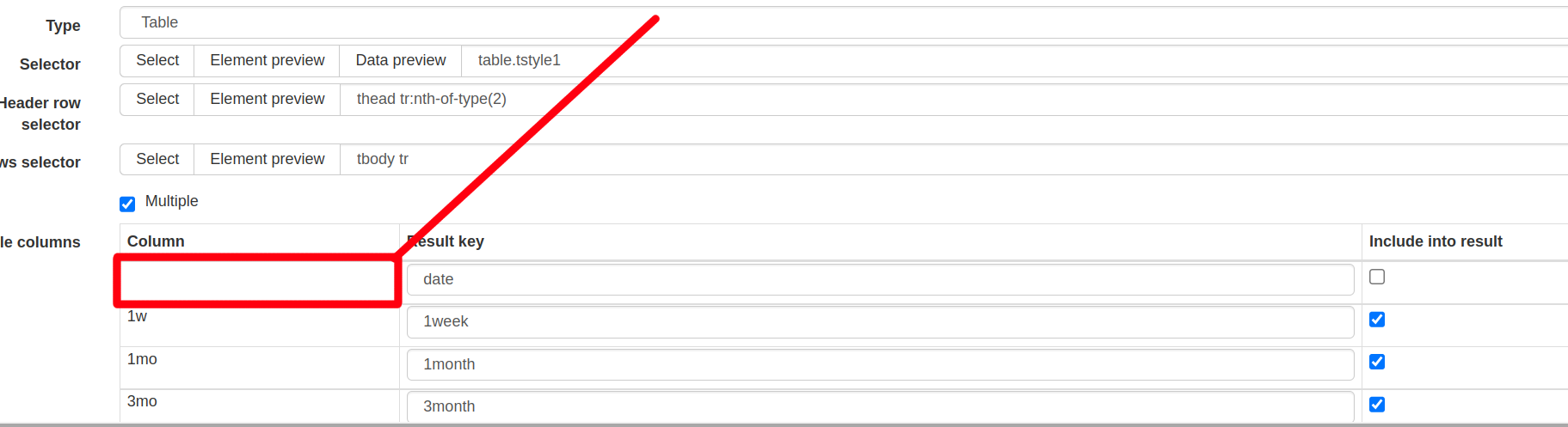
@miimamo It appears that it happens due to the first header being empty.

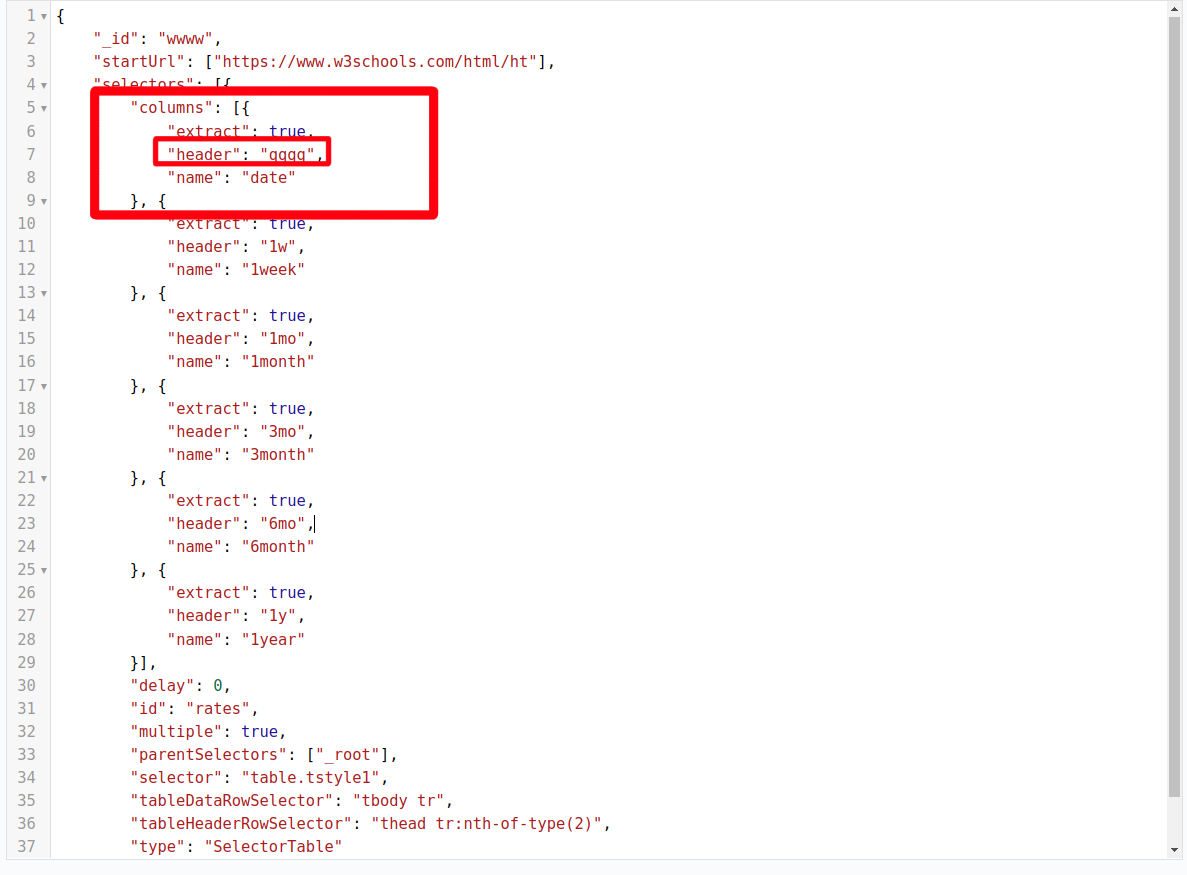
You can manually edit this with JSON validator:

Hello,

the first header (date) is empty in the table I'm trying to scrape. If I assign a value other than empty string to the header, the scraper does indeed add a column to scraped data, but all the values of the column are null as the header doesn't match anything in the table.

@miimamo Understood. To avoid that you can simply replace the 'Table' selector with an 'Element' selector instead(targeting each of the table rows).

Learn more: Web Scraper << How to >> Scrape multiple items within a listings page